
26 September 2026
XOS 6.3.0.8909: An Owner's Shipped Changelog, Translated
An XPeng owner's nine screenshots of the in-car version screen show the update landing as XOS 6.3.0.8909 — a later build than the 8907 list that leaked on 11 September. Here is the shipped changelog as the car displays it, translated: the Turing VLA 2.0 and Omni VLM models, navigation pull-over, nearby park-in, nose-in and tail-out parking, fuzzy navigation and voice vehicle control, CarPlay, the OPPO digital key, and the voice-architecture change that retires some Xiao P dialogue scenarios.
The update is landing in cars, and now we have its shipped release notes rather than a leak. XPeng owner 深圳小侠 posted nine screenshots of the in-car version screen on 26 September 2026; the screen reads "updated to XOS 6.3.0.8909" — a later build number than the 8907 list that circulated on 11 September, which we translated in full here.
What follows is that changelog, translated section by section, with the screenshots inline.
The models: VLA 2.0 and the Omni VLM
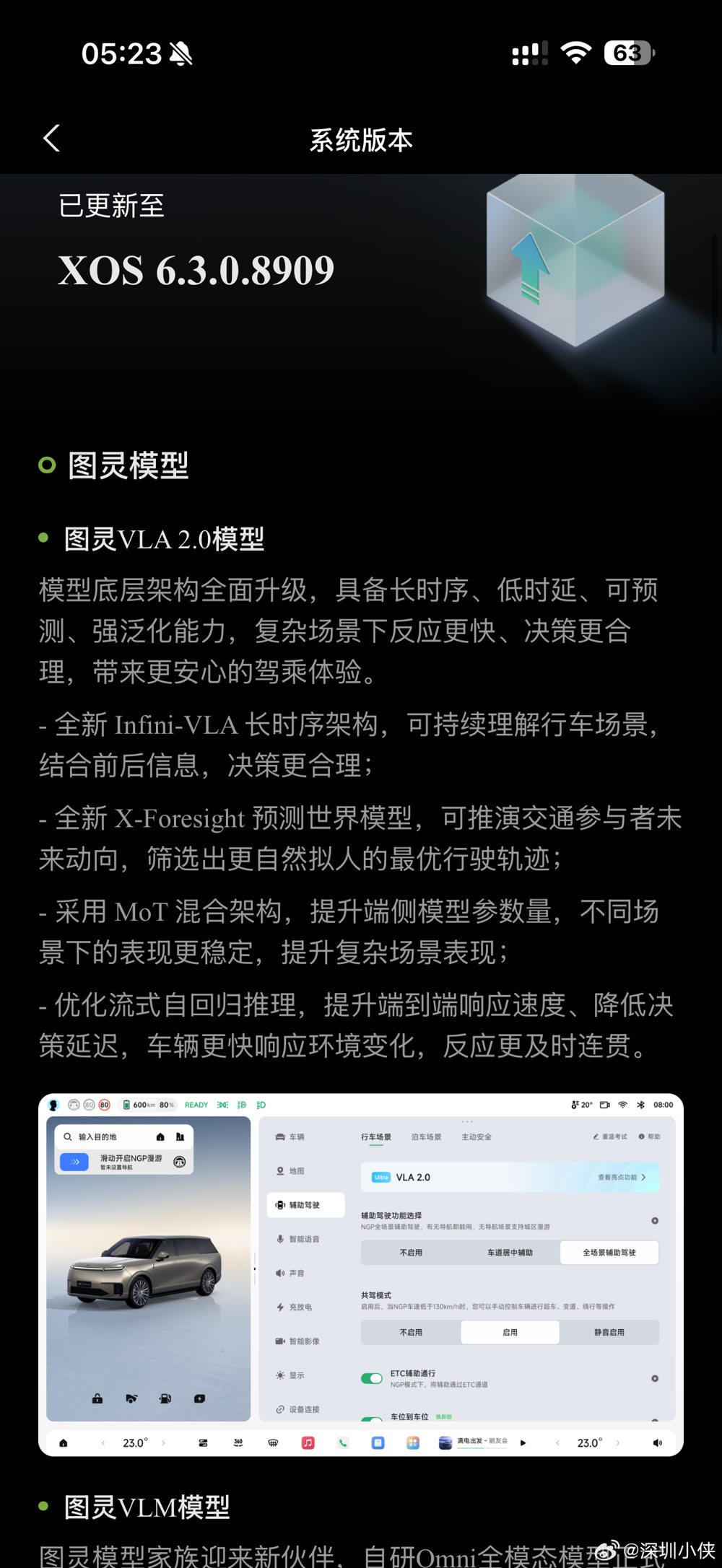
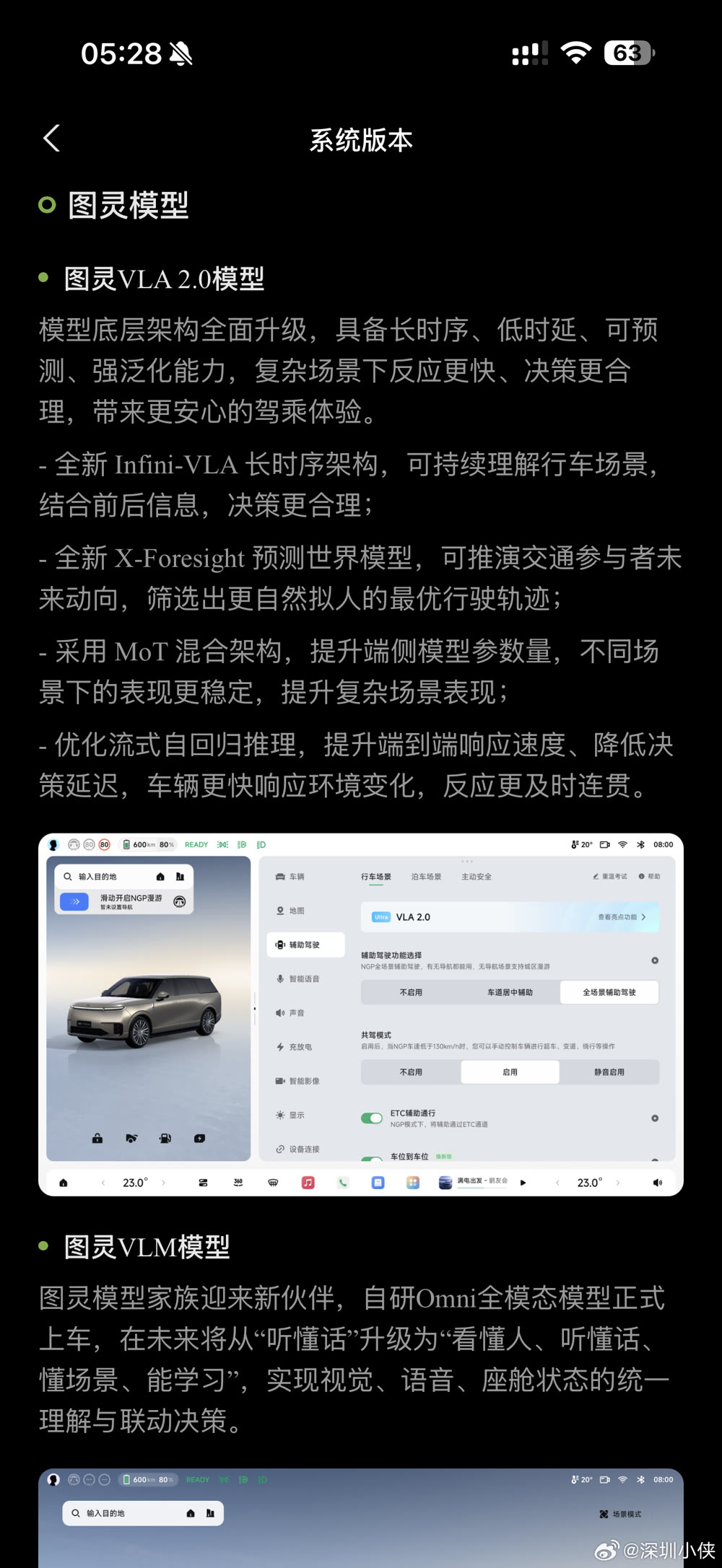
Turing VLA 2.0 model — the model's underlying architecture is upgraded across the board: long time-sequence, low latency, predictive, strongly generalising, for faster reactions and more reasonable decisions in complex scenarios. Four specifics:
- Infini-VLA, a new long-sequence architecture that sustains understanding of a driving scene and uses what came before and after it;
- X-Foresight, a new predictive world model that projects how other traffic participants will move and picks the most natural, human-like trajectory;
- a MoT hybrid architecture that raises the on-device parameter count for more stable behaviour across scenarios;
- optimised streaming autoregressive inference, for faster end-to-end response and lower decision latency.
Turing VLM model — XPeng's in-house Omni multimodal model formally goes into the car. The changelog describes the direction as moving from "understanding speech" to "understanding people, understanding speech, understanding scenarios, able to learn," with vision, voice and cabin state understood together and fed into joint decisions.
Assisted driving
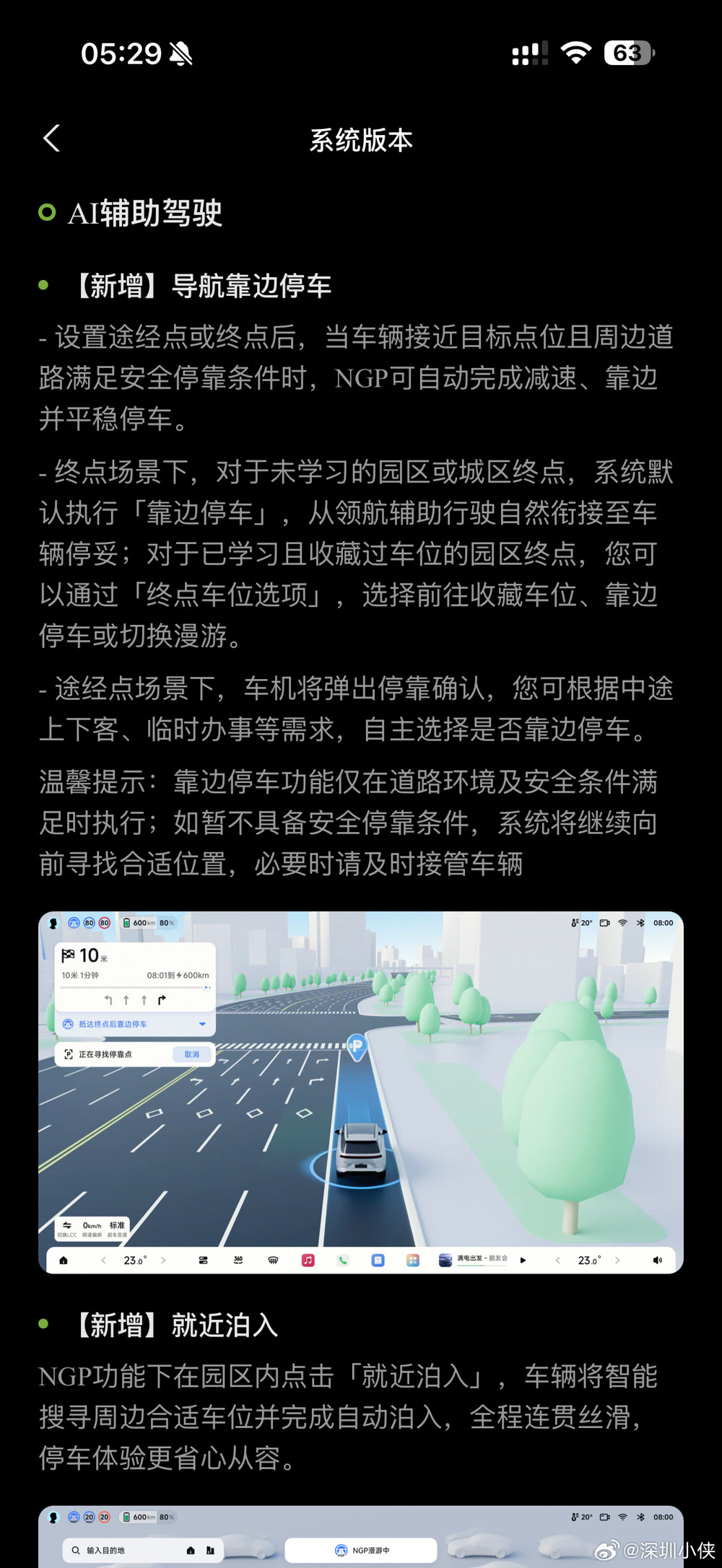
New: navigation pull-over. With a waypoint or destination set, once the car nears the target and the road allows a safe stop, NGP decelerates, pulls to the side and stops smoothly. At an unlearned compound or city destination it does this by default, joining assisted driving to a parked car; at a compound destination with a learned, favourited space you choose between driving to the saved space, pulling over, or switching to roaming. At waypoints the car asks first, so you can decide for drop-offs or errands. XPeng's note repeats the qualifier: it only acts when conditions allow, otherwise it keeps looking for a suitable place and you should take over if needed.
New: nearby park-in. Inside a compound under NGP, tapping "park in nearby" makes the car search for a suitable space and park itself.
Improved: city NGP. Better scene understanding — more decisive in simple situations, smoother and more human-like in complex ones, with comfort tuned across the board.
Improved: NGP roaming. Stronger intersection stability in the city, a preference for going straight at compound-arrow intersections, and fewer needless lane changes. In compounds it adds stalk-controlled turning: flick the indicator stalk and the car makes the left or right turn for you, in compounds and underground garages.
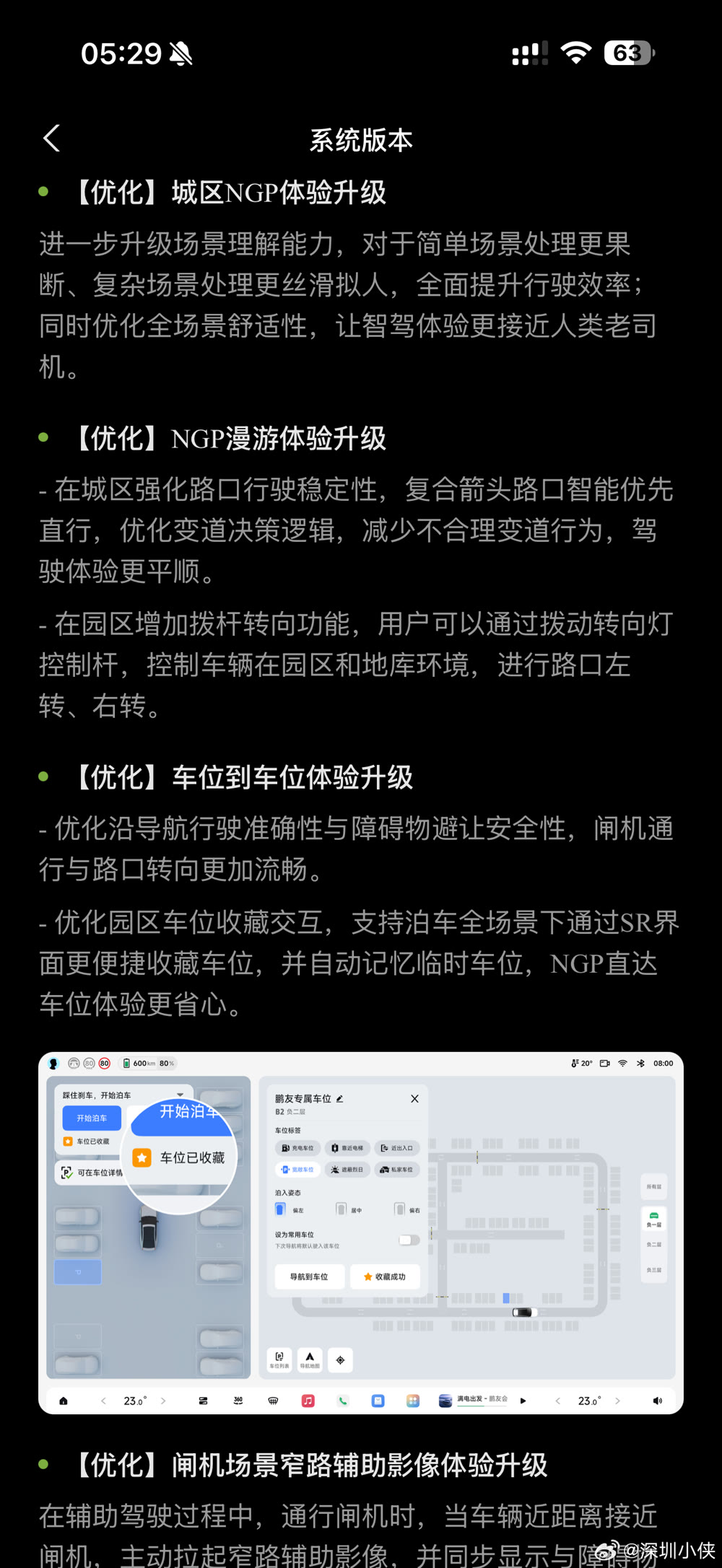
Improved: door-to-door. Better navigation accuracy and obstacle-avoidance safety, smoother gate passages and intersection turns, plus easier favouriting of compound spaces straight from the SR view and automatic memory of temporary spaces.
Improved: gate narrow-road camera. Passing through a gate under assistance, the car now raises the narrow-lane camera as it gets close and shows the distance to obstacles. Path: Intelligent Imaging, activate panoramic view in narrow lanes.
Parking
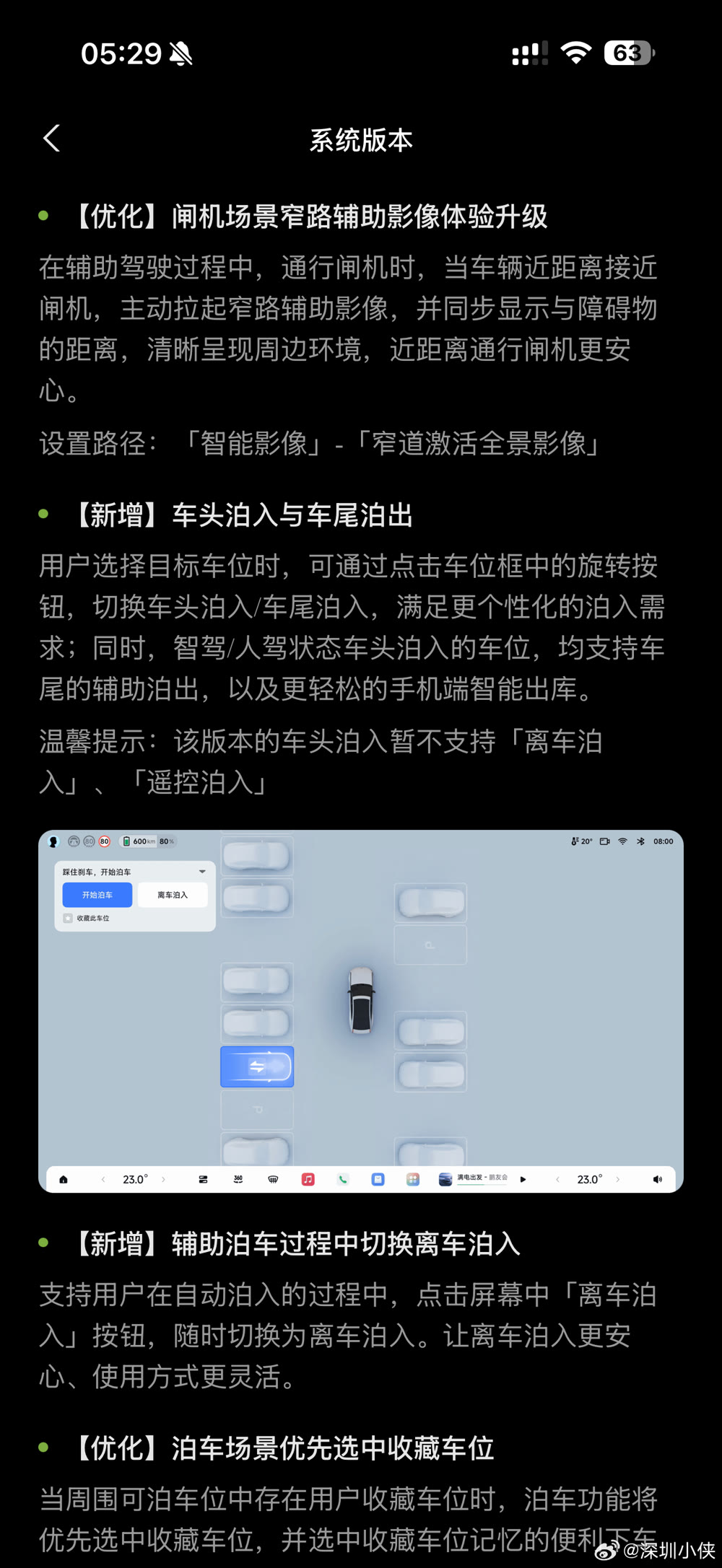
New: nose-in and tail-out. When you pick a space you can rotate the direction in the space frame to choose nose-in or tail-in. Spaces entered nose-first — whether parked by the system or by you — support assisted tail-out, and a simpler phone-based smart exit. XPeng notes a limit in this build: nose-in parking does not yet support exit-and-park or remote park-in.
New: switch to exit-and-park during assisted parking. Mid-manoeuvre, tapping "exit and park" on screen hands the rest of the manoeuvre to the exit-and-park function.
Improved: favourited spaces come first. If a favourited space is among the candidates, it is selected automatically, including its remembered drop-off offset — one tap on "start parking" begins the manoeuvre.
Improved: parking UI. A reworked display area that is quicker to scan, and a stronger activation chime when assisted park-in or park-out starts, so the boundary of the function is clear.
Cockpit: navigation by vague description, and voice control
New: fuzzy navigation. AI Xiao P now handles imprecise requests:
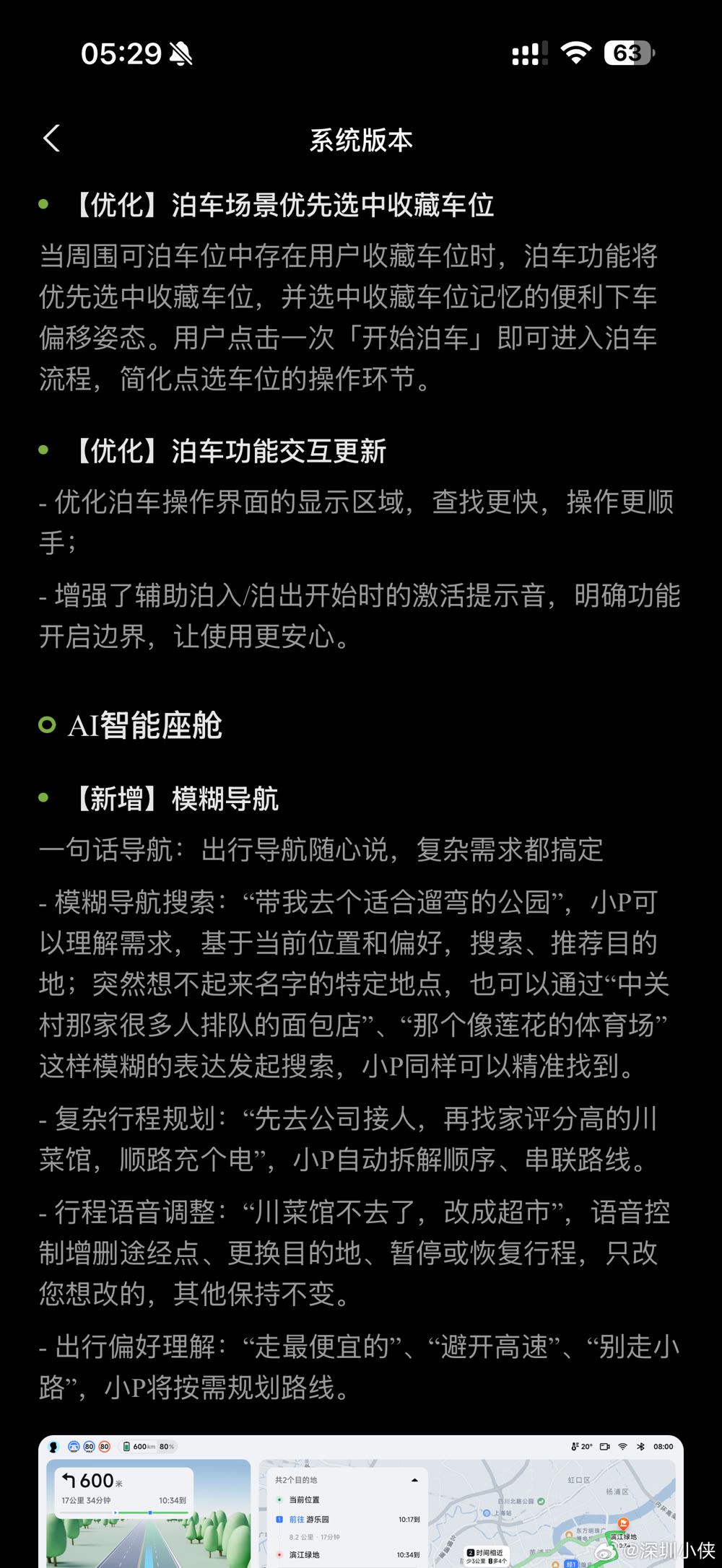
- Vague search — "take me to a park good for a stroll", or a place whose name you have forgotten: "that bakery in Zhongguancun with the long queue", "that stadium shaped like a lotus";
- Complex itineraries — "pick someone up at the office first, then find a highly rated Sichuan restaurant, and charge on the way", with Xiao P sequencing the stops itself;
- Voice edits en route — "skip the Sichuan place, make it a supermarket", adding or removing waypoints, changing the destination, pausing or resuming;
- Travel preferences — "take the cheapest route", "avoid motorways", "don't use small roads".
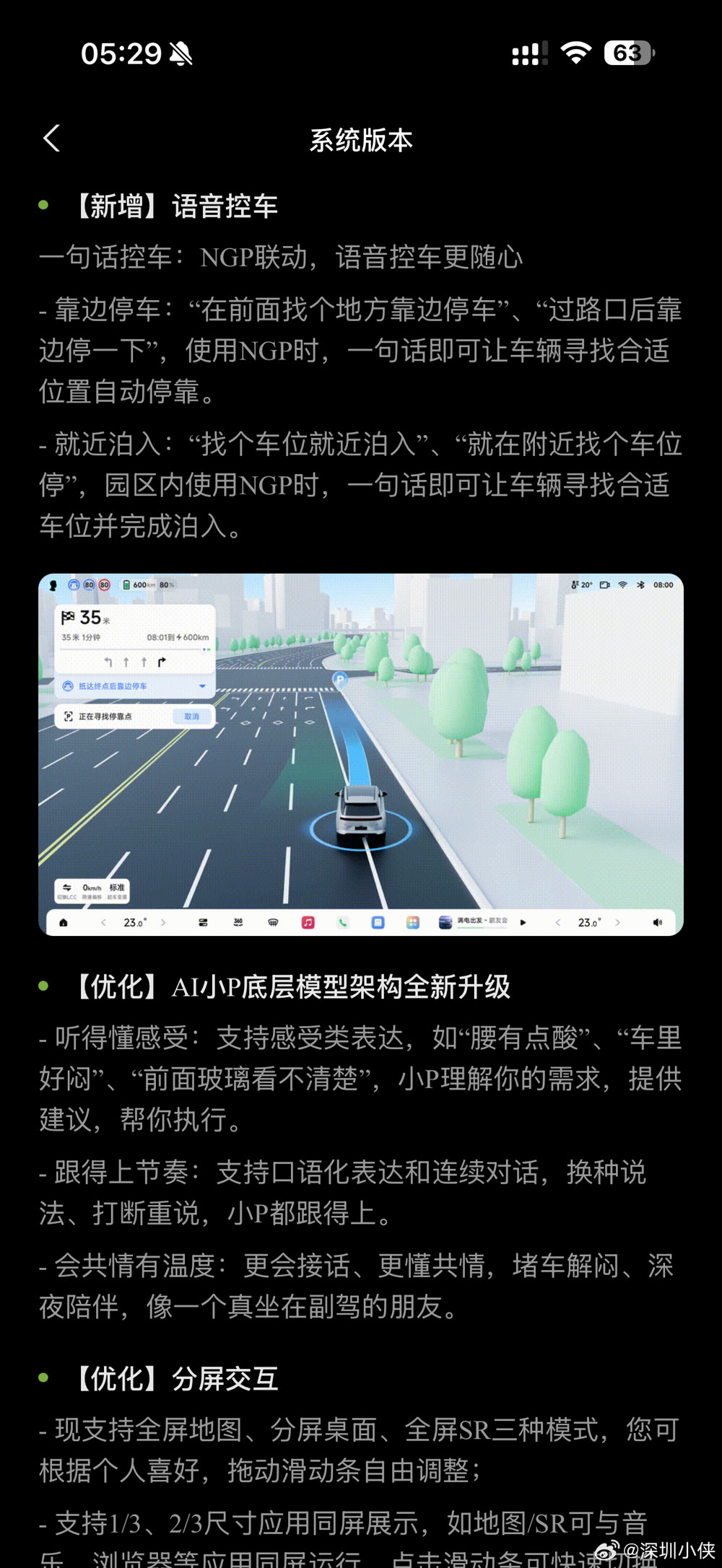
New: voice vehicle control. Under NGP, one sentence is enough: "find somewhere to pull over ahead", "pull over after the intersection", "find a space and park nearby", "just park in the nearest space".
Improved: AI Xiao P's underlying architecture. It now accepts feeling-based remarks — "my back aches", "it is stuffy in here", "I can't see clearly through the windscreen" — and offers to act; it follows colloquial speech and continuous conversation, including interruptions and rephrasing; and it is meant to read more like a passenger than a command line.
Improved: split-screen. Full-screen map, split-screen desktop and full-screen SR modes, a draggable divider, and one-third / two-third app sizes so the map or SR shares the screen with music or a browser.
Cockpit: control centre, CarPlay and the OPPO key
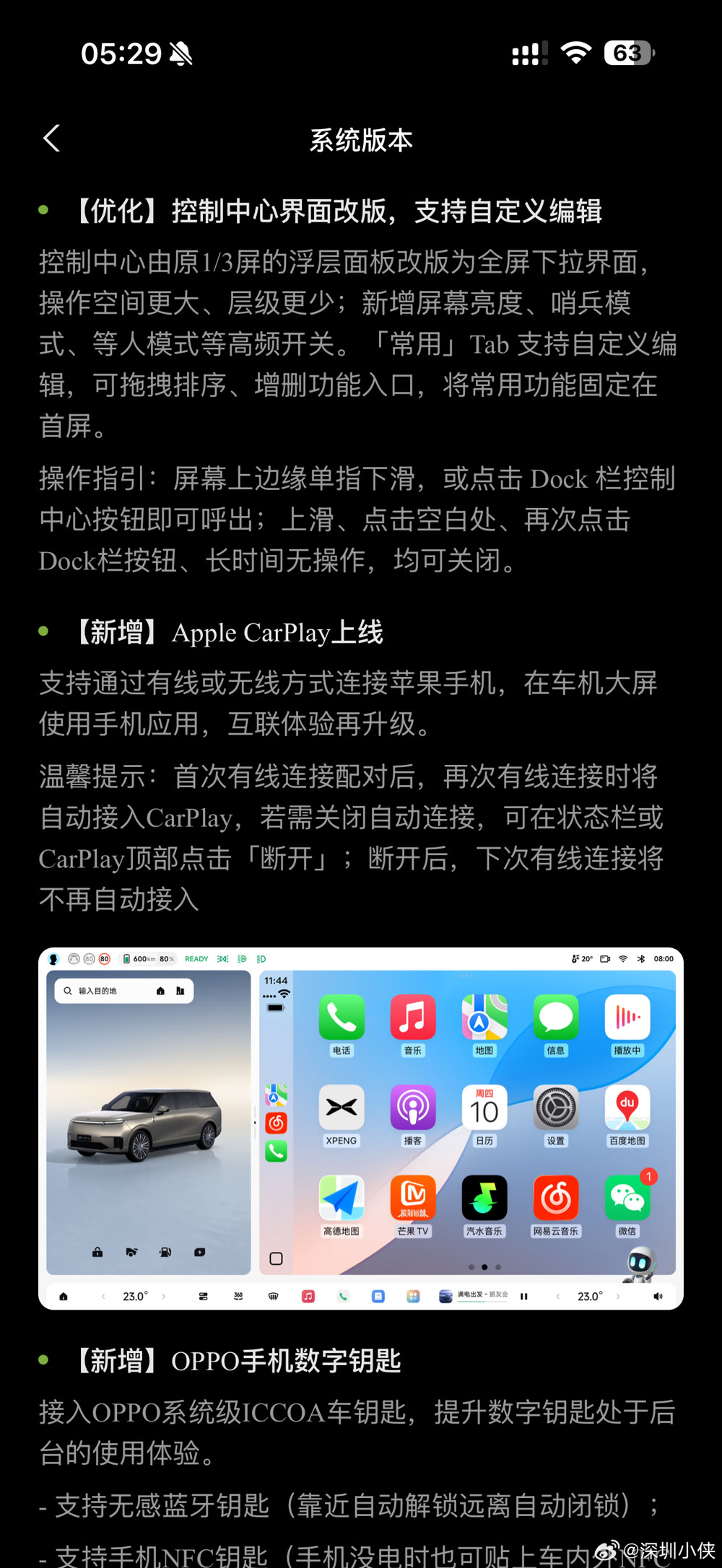
Improved: control centre. The old one-third floating panel becomes a full-screen pull-down with more room and fewer levels, adding brightness, sentry mode and waiting-mode toggles. The "frequently used" tab can be reordered and edited.
New: Apple CarPlay, wired or wireless. After the first wired pairing, later wired connections join automatically; disconnect from the status bar or the top of CarPlay to stop that.
New: OPPO phone digital key. Support for OPPO's system-level ICCOA car key, with a Bluetooth key that unlocks on approach and locks as you leave, and an NFC key that works even when the phone is flat.
The rest
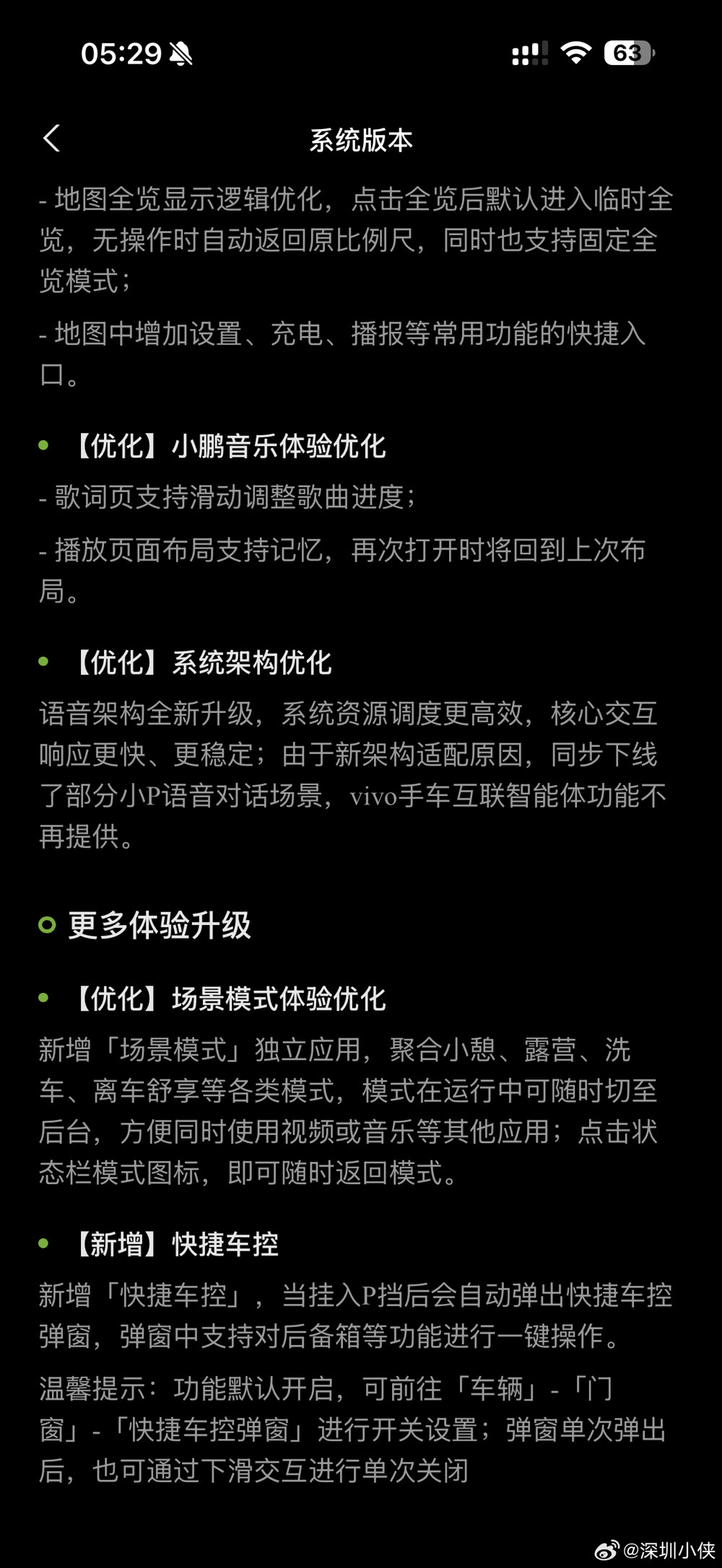
- Map: full-view logic changed — tapping full view gives a temporary view that returns to your previous scale, with a fixed full-view option, plus quick entries for settings, charging and voice broadcast.
- XPeng Music: drag on the lyrics page to seek; the playback layout is remembered.
- System architecture: the voice stack is rebuilt for more efficient resource scheduling and faster, more stable core interactions. Two consequences are stated plainly: some Xiao P voice dialogue scenarios have been taken offline for the new architecture, and the vivo phone-to-car agent is no longer provided.
- Scene modes: a standalone app collecting nap, camping, car wash and exit-and-relax modes, able to run in the background while video or music plays, with a status-bar icon to return.
- New: quick vehicle control. Shifting into P brings up a popup with one-tap actions such as the tailgate. On by default; path: Vehicle, Doors and Windows, quick vehicle control popup.
What this build shows — and what it does not
This is the first shipped changelog we have put up, and it settles one question: the release went out as 8909, not the 8907 of the leak.
It does not settle whether the leak was accurate, because these nine screenshots are an owner's captures rather than a complete list:
- Every item visible here also appeared in the leaked 8907 list — there is nothing in the shipped notes that the leak did not have.
- Fourteen items from the leak are not visible in these screenshots, including features XPeng's own release slides confirm are part of 6.3.0 — remote safety "Pengyou Watch", HUD content, Dock customisation and others.
- The capture is demonstrably incomplete: there is a visible gap between screenshots 8 and 9 (image 8 ends mid-entry on the OPPO key, image 9 begins in the middle of the map entry), and the final screenshot stops at quick vehicle control, where the leaked list continues with two further items.
So read this as the shipped changelog as far as these screenshots go, not as proof that anything was cut. For the rollout picture — which cars get VLA 2.0 Lite and when — our article on the start of the push is here.
Source: 深圳小侠 (Weibo) — translated & adapted for XPENGTech.
Get the next one direct.
New articles, or a daily / weekly digest — the same list EVConduit keeps.