
22 September 2026
XOS 6.3.0 in XPeng's Own Slides: Every Feature, Translated
XPeng's official seven-slide deck for XOS 6.3.0, translated: the Turing VLA 2.0 prediction world model for Ultra and Ultra SE cars, VLA 2.0 Lite for single-Turing Max, the Omni-based Turing VLM model, navigation pull-over, nearby park-in with nose-in and tail-out, one-sentence voice control and fuzzy navigation, Apple CarPlay and split-screen, plus remote safety, HUD, gate-camera, Dock and scene-mode changes.
XPeng's XOS 6.3.0 is going out to cars now, and with it the company has published its official feature slides — the seven-slide deck that walks through what the update changes in the driving stack, the parking stack, voice, the cockpit and a handful of smaller systems.
This post is those slides, translated, as a visual reference. The set we worked from was posted to Weibo by 科技野探; the slides themselves are XPeng's.
Where we have already gone deeper, we have linked out: the rollout itself and VLA 2.0 Lite on single-Turing Max cars, the rumored 8907 changelog, translated in full, and Liu Xianming's technical account of the underlying architecture change.
1. The cover
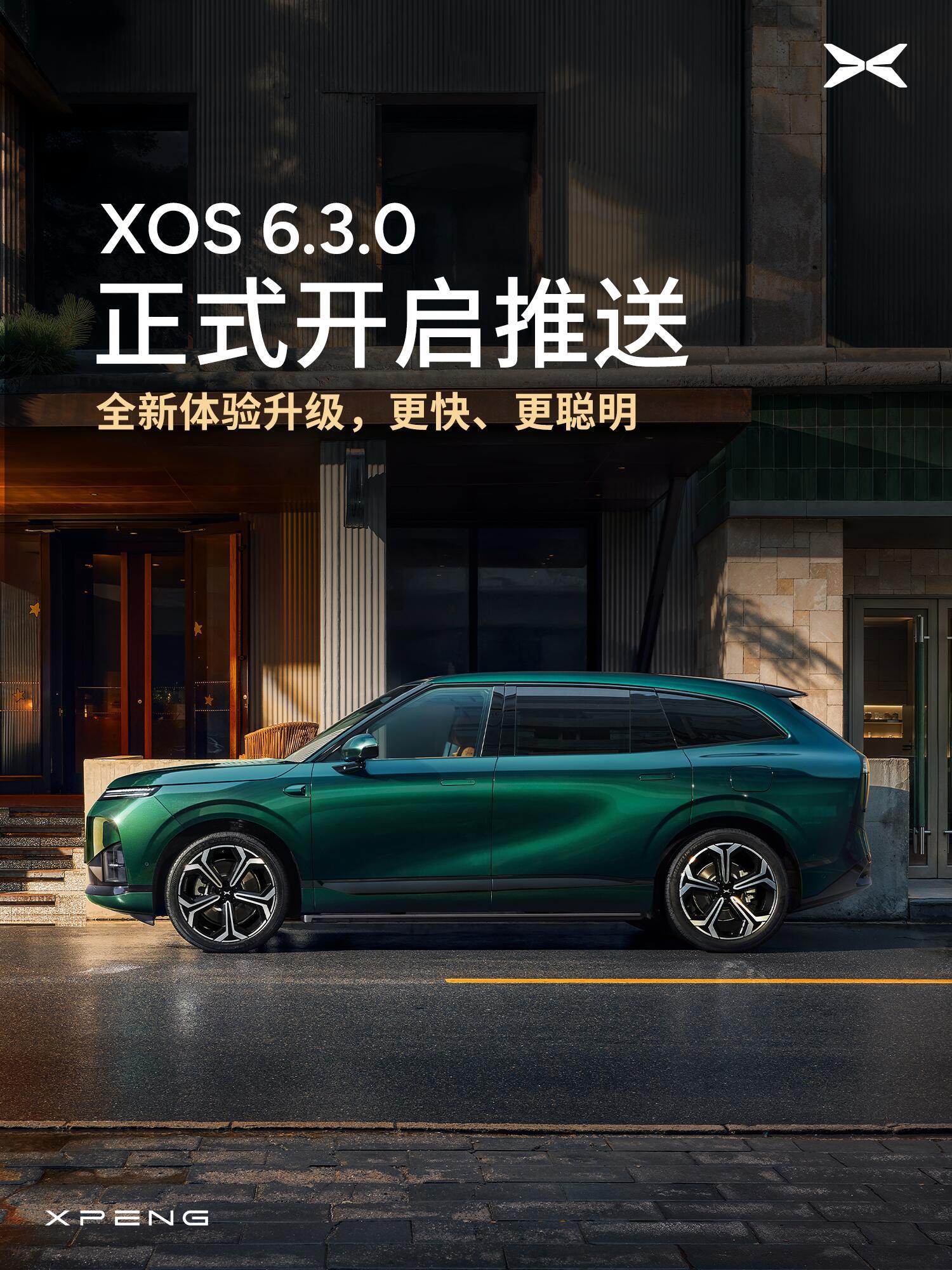
"XOS 6.3.0 formally begins its push — an all-new experience upgrade: faster and smarter."
2. Turing VLA 2.0 and VLA 2.0 Lite
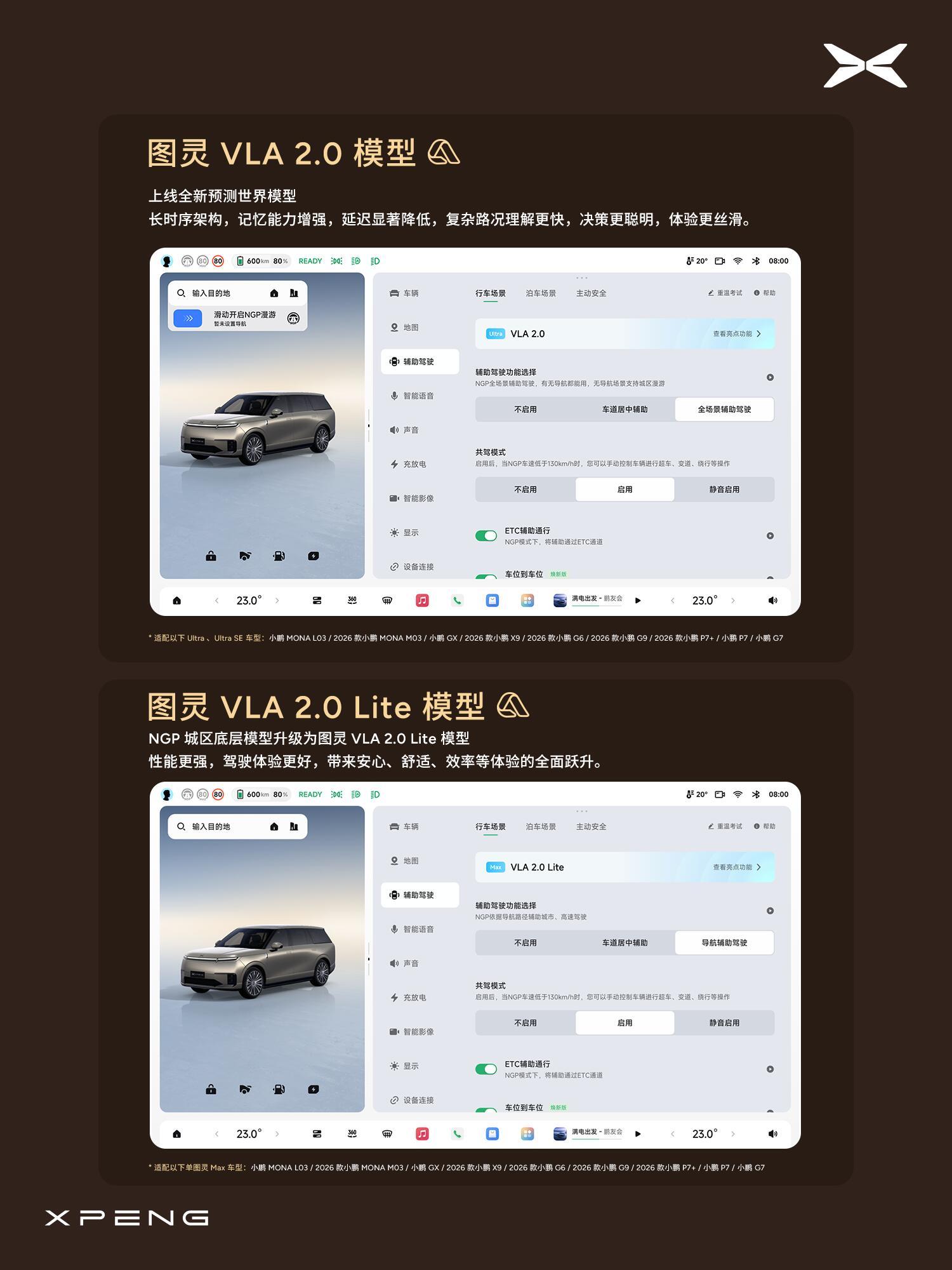
Two model cards sit on one slide.
Turing VLA 2.0 gets "a new prediction world model": a long-sequence architecture with stronger memory and significantly lower latency, so complex road situations are understood faster and decisions are smarter. Availability is listed for Ultra and Ultra SE cars — MONA L03, 2026 MONA M03, GX, 2026 X9, 2026 G6, 2026 G9, 2026 P7+, P7 and G7.
Turing VLA 2.0 Lite is the one that matters for most owners: the NGP city model's underlying architecture is upgraded to the Lite model, described as better performance and a better driving experience rather than a new capability set. It is listed for single-Turing Max cars.
3. Turing VLM and navigation pull-over
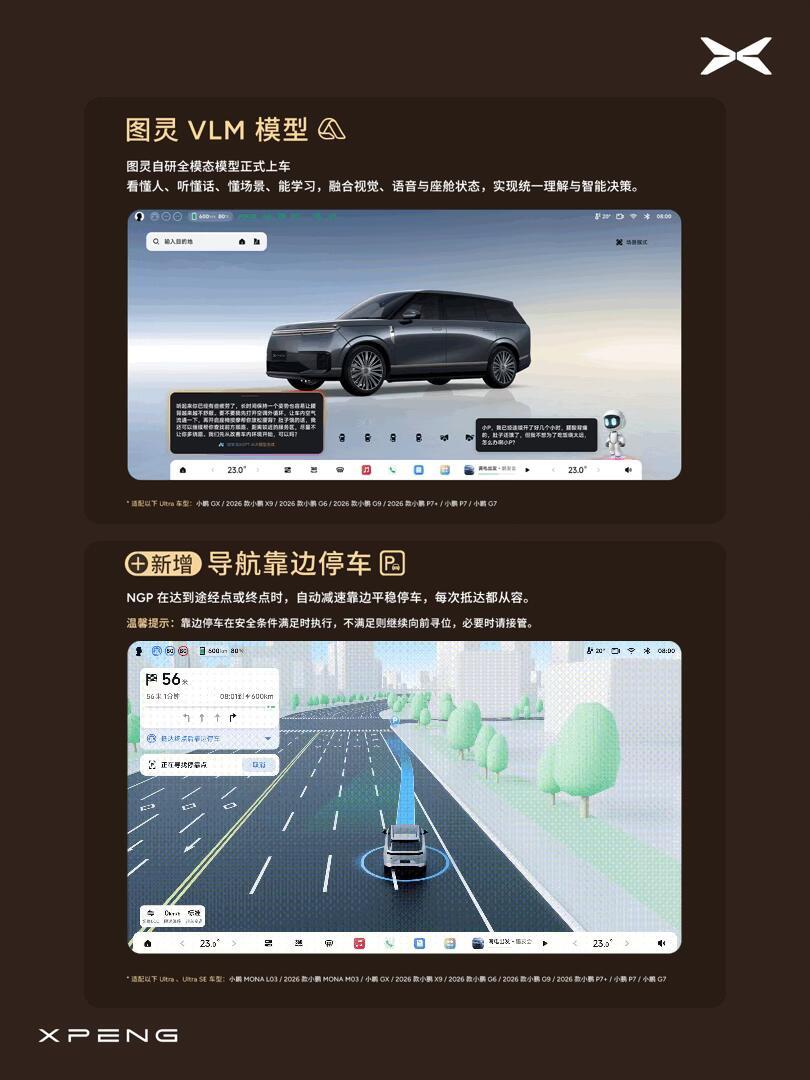
The Turing VLM model is XPeng's in-house Omni multimodal model going into the car: it "understands people, understands speech, understands scenes and can learn," fusing vision, voice and cabin state into unified understanding and decision-making.
The same slide introduces navigation pull-over: under NGP, when the car reaches a waypoint or destination it slows, pulls to the side and stops smoothly. XPeng's own note adds the qualifier that it executes only when safety conditions allow — otherwise the car keeps looking forward for a suitable place, and the driver should take over if needed.
4. Nearby park-in, nose-in and tail-out
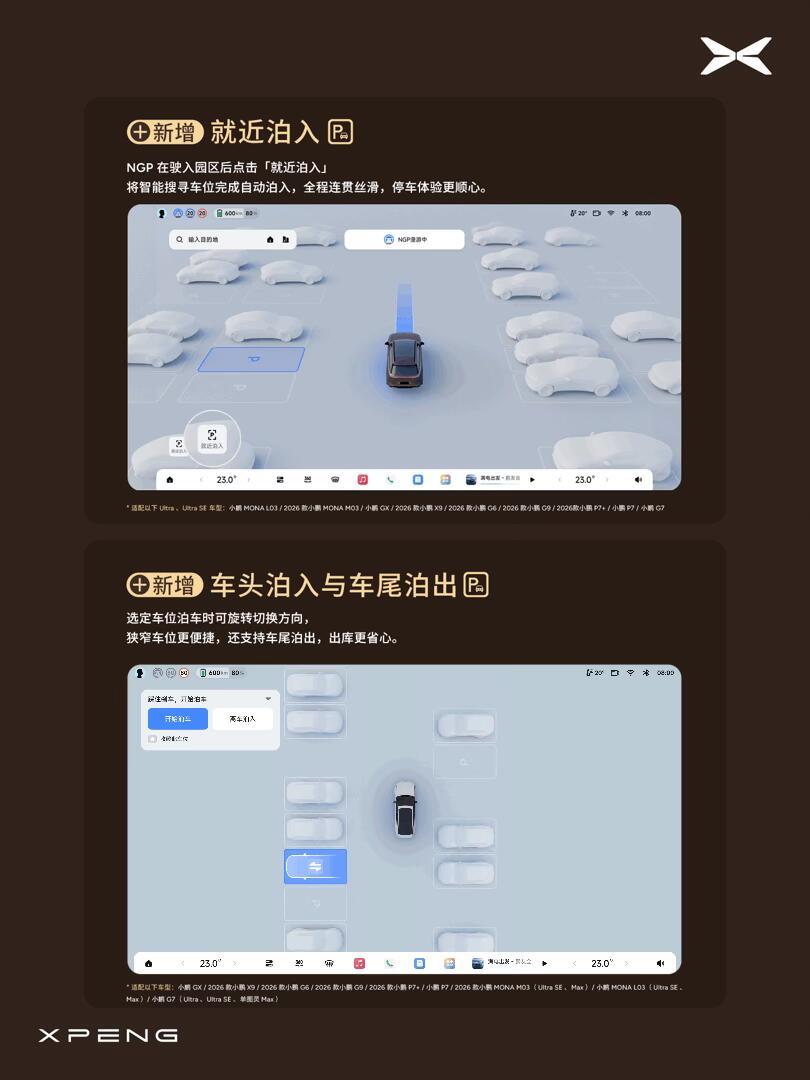
Two parking additions: nearby park-in, where tapping "park in nearby" once NGP has entered a compound makes the car search for a suitable space and park itself; and nose-in / tail-out, which lets you rotate the selected space's direction so the car enters nose-first in a tight spot and can also leave tail-first.
5. One-sentence control and fuzzy navigation
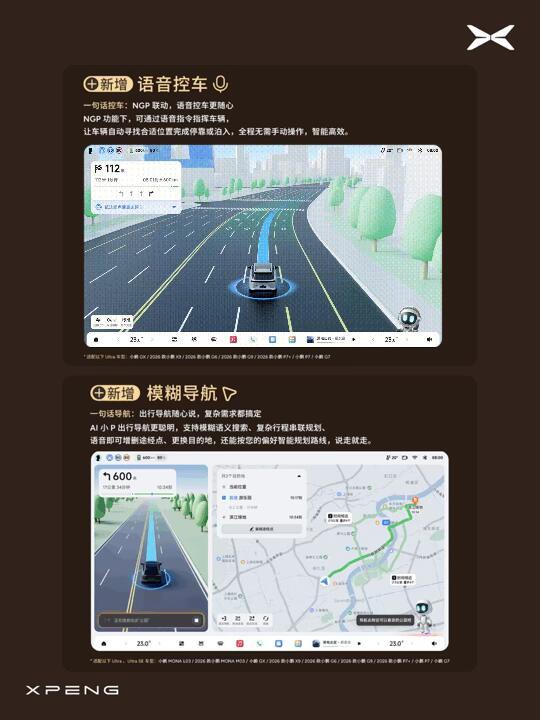
Voice vehicle control: under NGP, a spoken instruction is enough for the car to find a suitable place and pull over or park — no manual operation.
Fuzzy navigation: AI Xiao P now accepts vague spoken searches, plans complex multi-stop itineraries, lets you add waypoints or change the destination by voice, and can route according to your preferences.
6. CarPlay and split-screen
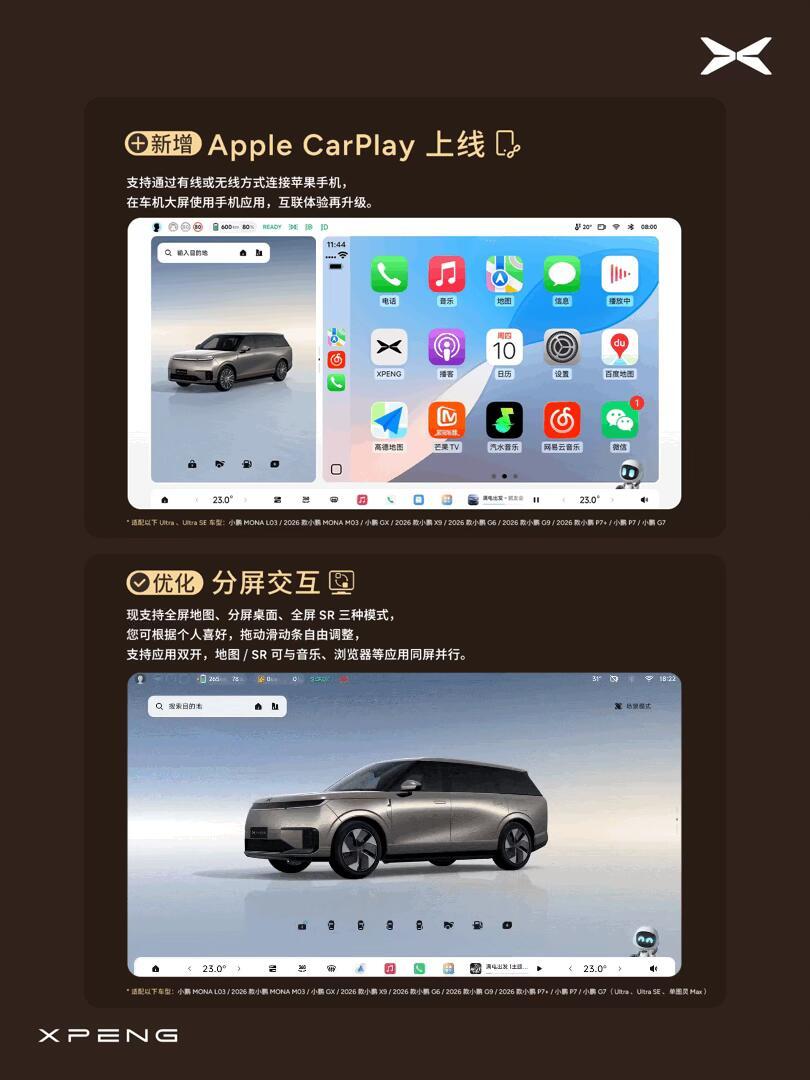
Apple CarPlay arrives, wired or wireless, running phone apps on the centre screen.
Split-screen interaction is reworked: full-screen map, split-screen desktop and full-screen SR, with a draggable divider, app dual-opening, and the map or SR shown alongside music, browser and other apps.
7. Remote safety, HUD, gate cameras, Dock and scene modes
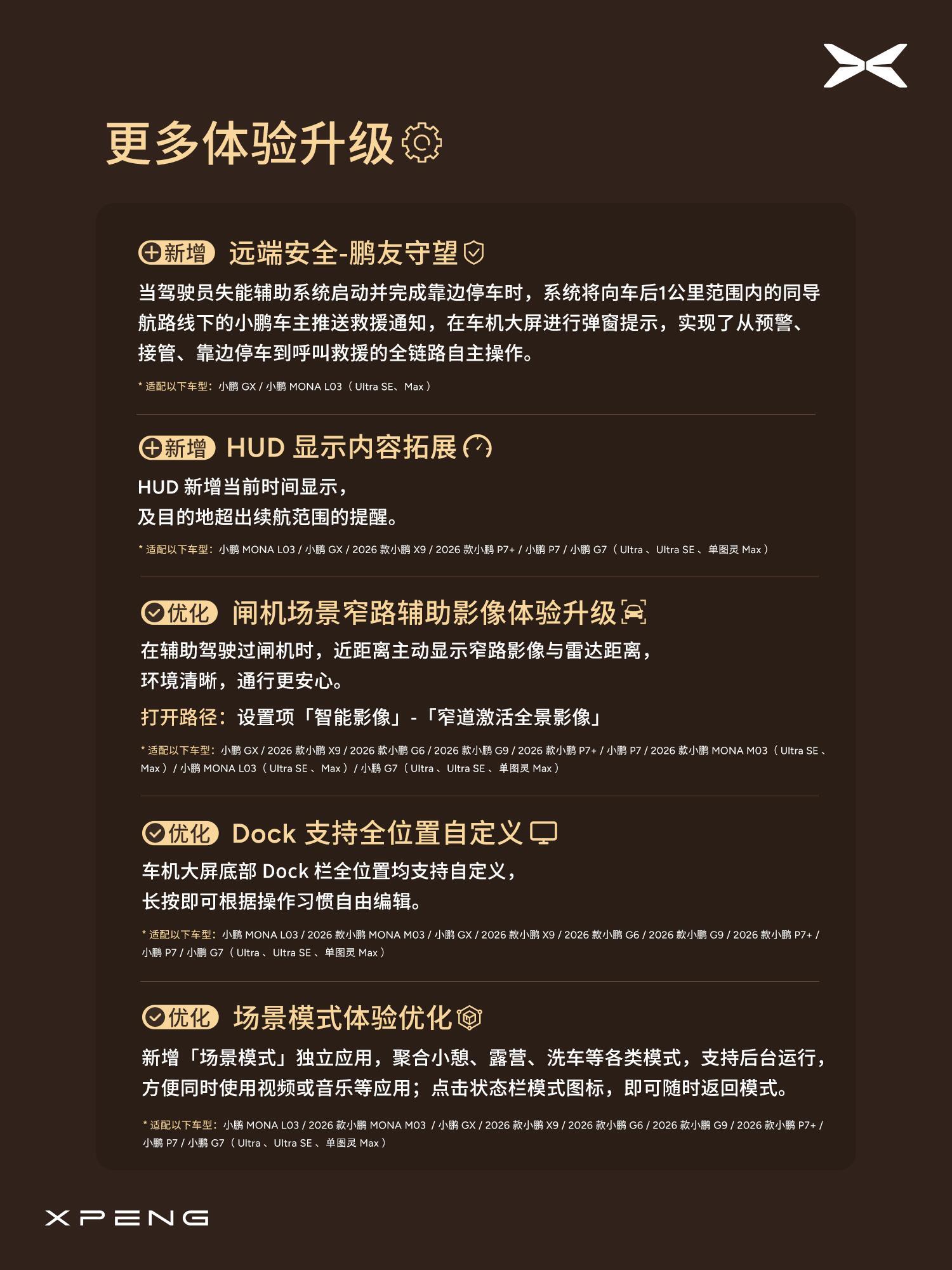
The last slide collects the smaller changes:
- Remote safety — "Pengyou Watch." When the driver-incapacity assist system activates and completes a pull-over, the car pushes a rescue notification to XPeng owners within 1 km behind on the same navigation route, with a pop-up on their centre screen — a full chain from warning and takeover through pull-over to calling for help. Listed for GX and MONA L03 (Ultra SE, Max).
- HUD content expansion: current time, plus a reminder when the destination is beyond the remaining range.
- Gate narrow-road camera: when driving through a gate under assistance, the car proactively shows the narrow-lane camera and radar distance. Path: Settings, Intelligent Imaging, activate panoramic view in narrow lanes.
- Dock customisation: every position in the bottom Dock can be edited with a long press.
- Scene modes: a new standalone Scene mode app collects nap, camping, car-wash and other modes, runs in the background so video or music keeps playing, and returns from a status-bar icon.
What the slides do not say
- They are marketing slides, not release notes. Every feature carries its own eligibility list — VLA 2.0 for Ultra and Ultra SE, VLA 2.0 Lite for single-Turing Max, Pengyou Watch for GX and MONA L03 — and the deck does not say when any given car receives it.
- "Upgrade" is doing different work in different places. VLA 2.0 Lite is a distillation for less compute, not the full model; the slide describes the outcome, not the method. Liu Xianming's article is the place to go for the method.
- The rumored build and the shipped deck differ in places. The 8907 changelog that circulated on 11 September listed items the official slides do not, and vice versa — the translated changelog is here if you want to compare.
- The Weibo account that posted them is not XPeng. 科技野探's summary is accurate as far as it goes, but it adds nothing to the deck; the slides are the source.
Source: 科技野探 (Weibo), reproducing XPeng's official XOS 6.3.0 feature slides — translated & adapted for XPENGTech.
Get the next one direct.
New articles, or a daily / weekly digest — the same list EVConduit keeps.