
11 September 2026
XPeng XOS 6.3.0.8907: The Rumored Update's Full Changelog, Translated
The circulating 6.3 build's release notes run to eleven screenshots: Turing VLA 2.0 with Infini-VLA and X-Foresight, pull-over on navigation, nose-in parking, fuzzy navigation, CarPlay, an OPPO digital key, English UI — and "Pengyou Watch", which asks nearby XPeng owners to help when a driver is incapacitated.
XPeng's XOS 6.3.0.8907 update notes have been circulating on Weibo, and they run to eleven screenshots — far longer than a normal point release. This is not an official XPeng announcement: it is the kind of internal changelog that starts circulating before an OTA goes wide. Here is the whole thing, translated.
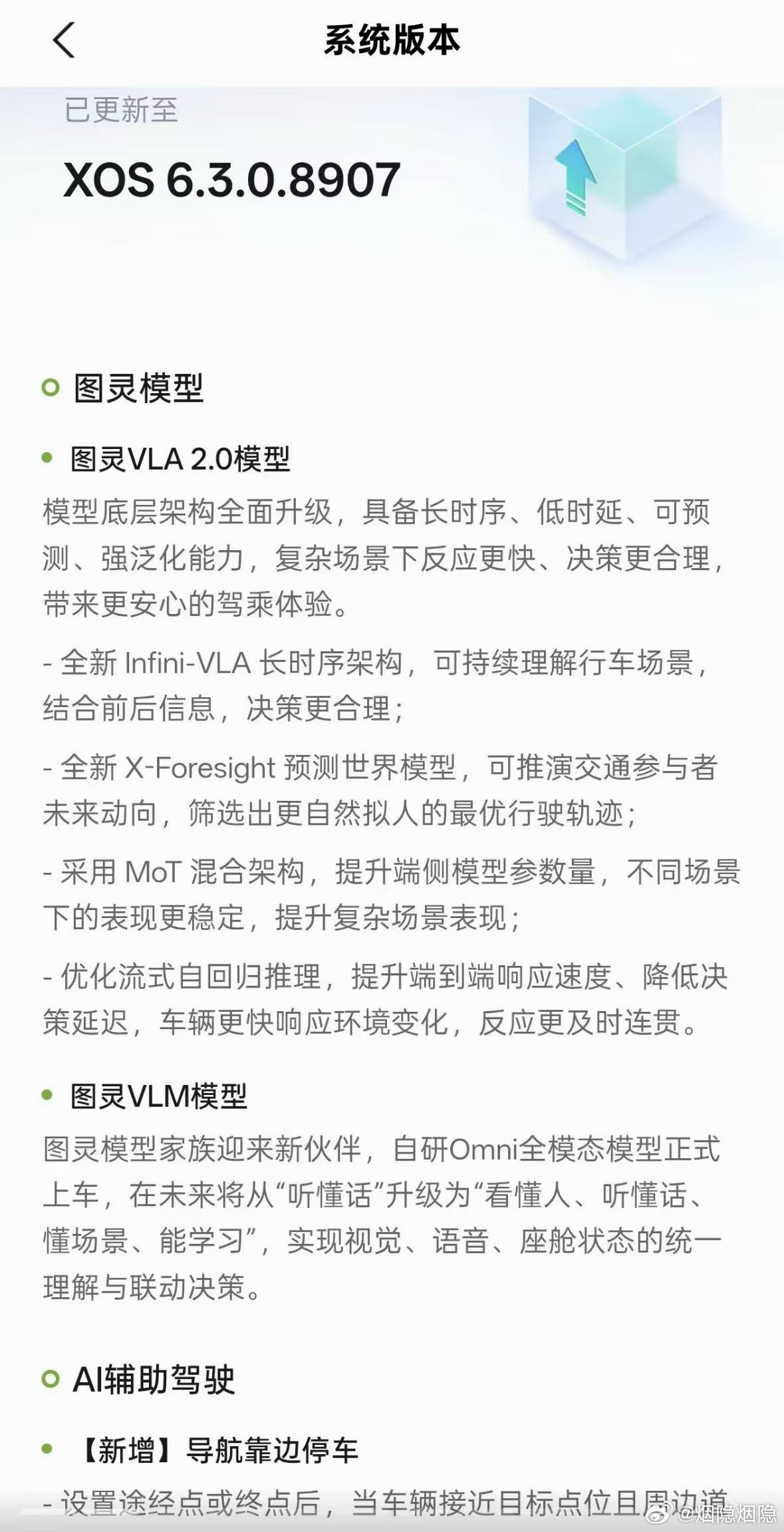
Turing models: VLA 2.0 gets its architecture upgrade
Turing VLA 2.0 model. The model's underlying architecture is upgraded across the board — long temporal sequence, low latency, predictability and strong generalisation, for faster reactions and better decisions in complex scenes:
- Infini-VLA, a new long-sequence architecture that keeps understanding the driving scene continuously and combines earlier and later information for more sensible decisions;
- X-Foresight, a new predictive world model that projects the future behaviour of traffic participants and picks the most natural, human-like trajectory;
- an MoT hybrid architecture that raises the on-device parameter count so behaviour stays stable across different scenarios;
- optimised streaming autoregressive inference, improving end-to-end response speed and cutting decision latency so the car reacts to changes sooner and more coherently.
Turing VLM model. A self-developed Omni multimodal model comes on board, moving the family from "understands what you say" towards "understands people, understands speech, understands scenes, and can learn" — with unified understanding and coordinated decisions across vision, voice and cabin state.
AI assisted driving
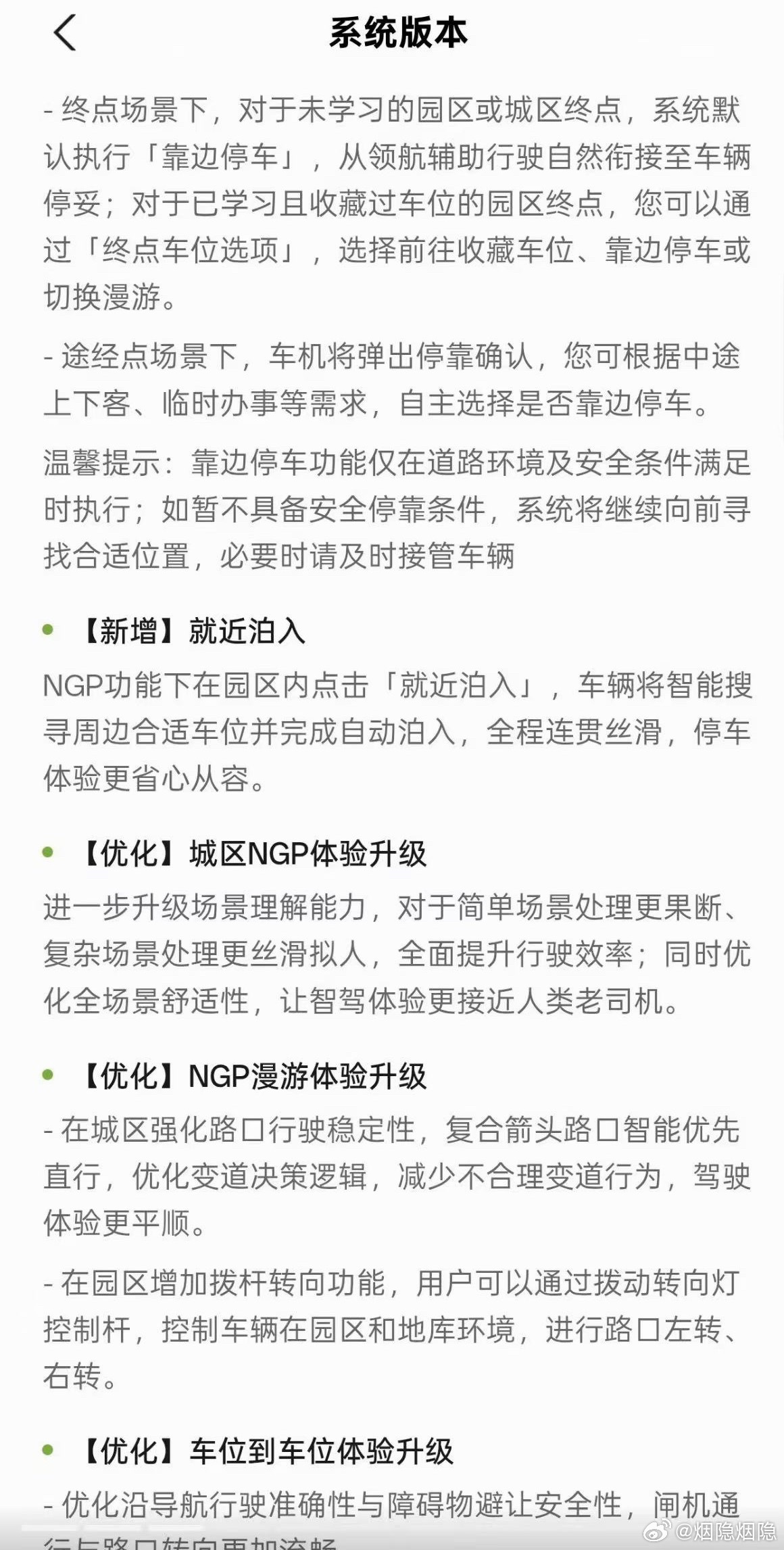
New — pull over on navigation. Once a waypoint or destination is set, and the car approaches the target with the surroundings suitable, the system handles the stop itself. For destinations in parks or city areas it has not learned, the default action is to pull over to the side, handing over naturally from assisted navigation to a finished stop. For park destinations whose parking spaces have been learned and favourited, the "destination space options" let you choose between driving to the saved space, pulling over, or switching to roaming. At waypoints, the car pops up a stop confirmation so you can decide whether to pull over for a pick-up, drop-off or a quick errand. XPeng notes the function only runs when the road environment and safety conditions allow it — otherwise the car keeps looking for a suitable place, and the driver may need to take over.
New — park in nearby. Under NGP inside a park area, tapping "park in nearby" makes the car search for a suitable space around it and complete the park-in automatically.
Optimised — city NGP. Further upgraded scene understanding: more decisive in simple scenes, smoother and more human-like in complex ones, raising overall driving efficiency, with comfort optimised across all scenarios.
Optimised — NGP roaming. In the city, intersection behaviour is more stable, complex arrow intersections prefer going straight, and lane-change logic is reworked to cut unreasonable lane changes. In park areas, a new stalk-based turning function lets the driver command left and right turns at junctions in parks and underground garages using the indicator stalk.
Optimised — parking-spot-to-parking-spot. Better accuracy when following navigation, safer obstacle avoidance, barrier-gate handling, and an improved interaction for favouriting spaces through the SR display — plus automatic memory of temporary spaces.
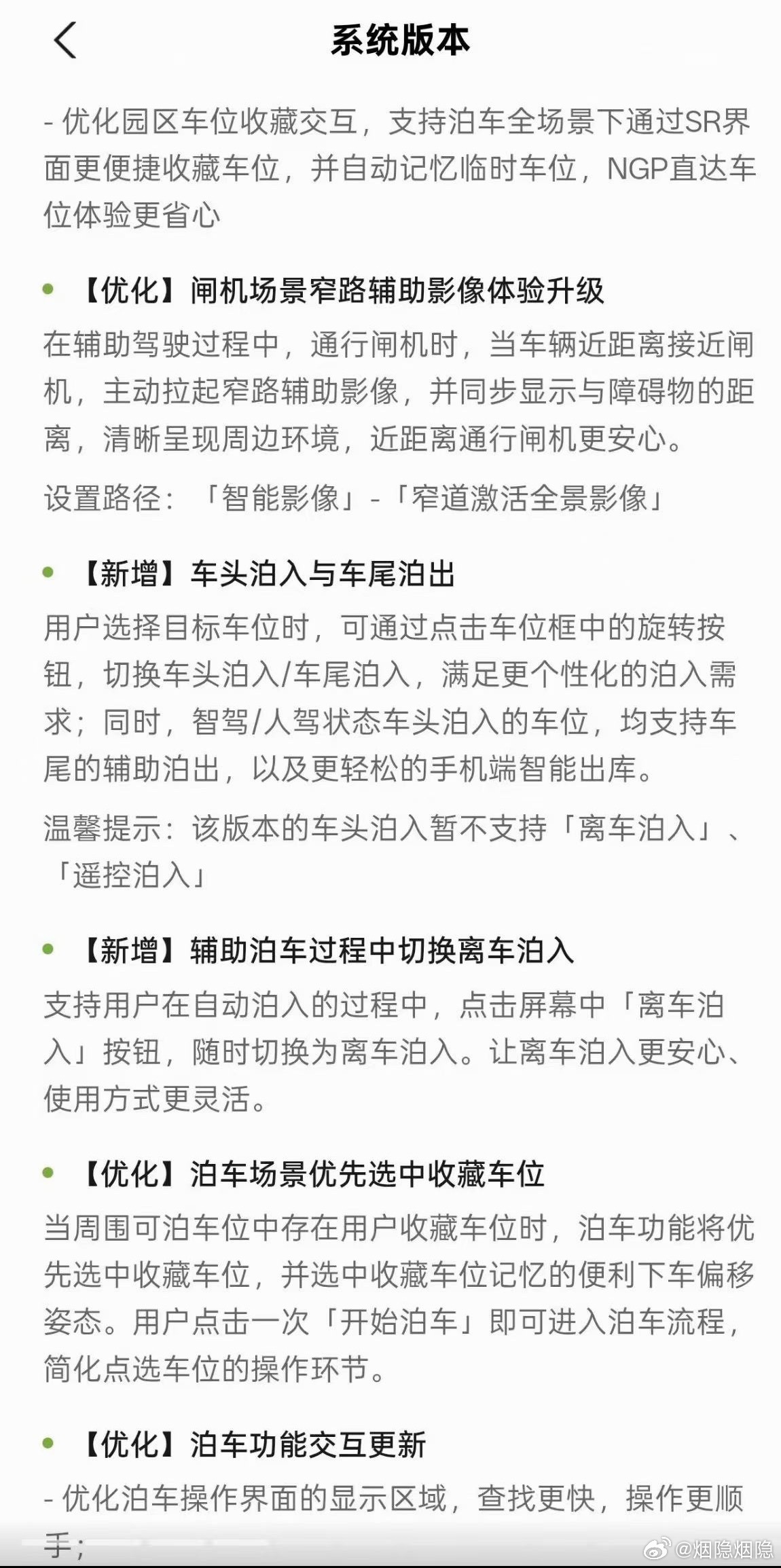
Optimised — narrow-lane camera at barrier gates. While driving on assisted pilot, the car automatically raises the narrow-lane camera view as it gets close to a gate, showing the distance to obstacles and a clear picture of the surroundings.
New — nose-in parking and tail-out. When choosing a target space, a rotate button switches between nose-in and tail-in parking; spaces entered nose-in — whether by the system or the driver — also support assisted tail-out and easier phone-based smart exit. XPeng notes nose-in parking in this build does not yet support exit-and-park or remote park-in.
New — switching to exit-and-park mid-manoeuvre. During an automatic park-in, tapping "exit and park" on screen switches the manoeuvre at any time.
Optimised — favourited spaces first, and a revised parking UI. If a favourited space is among the available ones, parking selects it first, including its remembered offset posture, so a single tap on "start parking" begins the process. The parking interface is rearranged for faster searching, and the activation chime at the start of assisted park-in/park-out is strengthened.
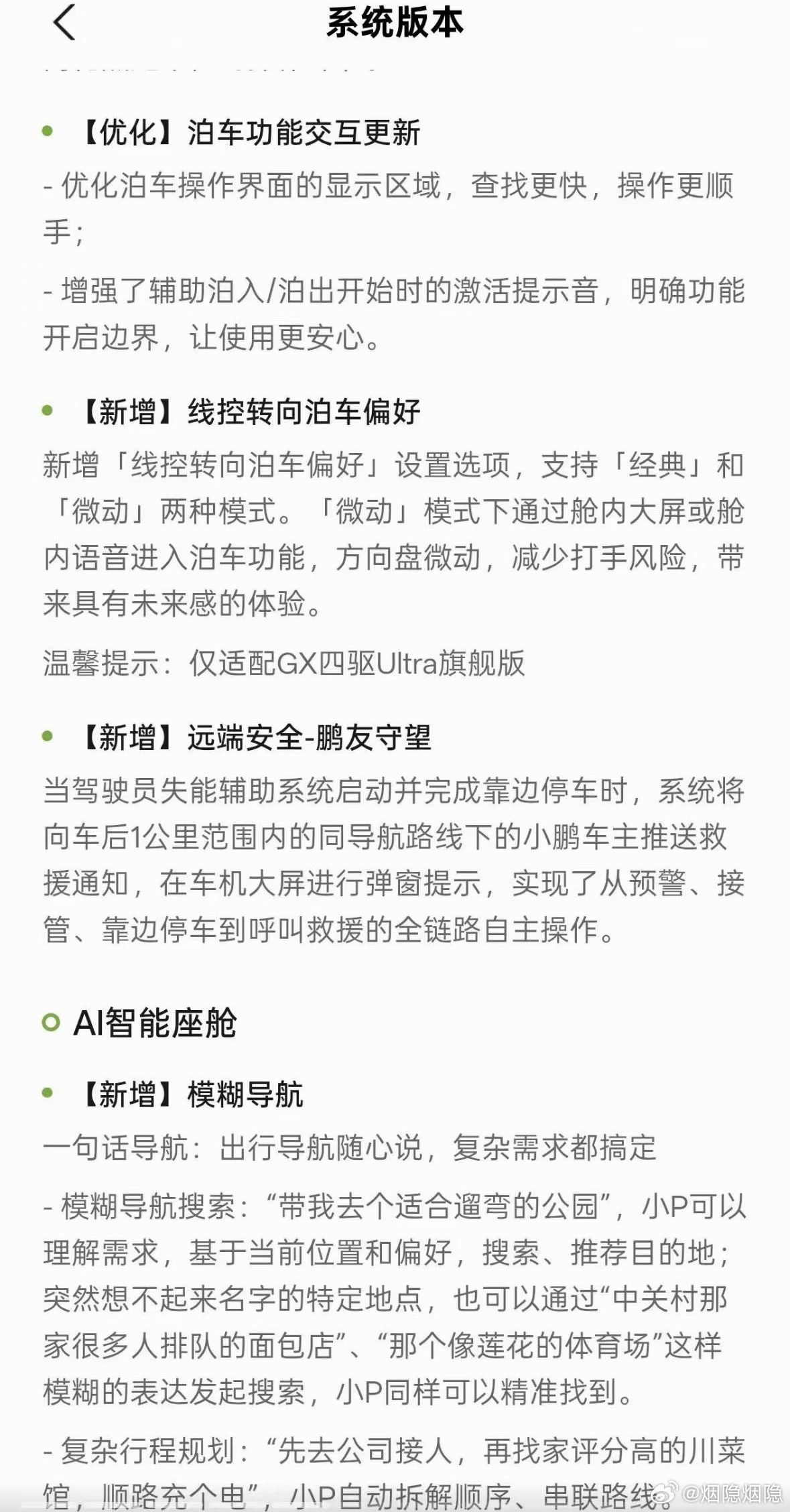
New — steer-by-wire parking preference. A new setting offers "Classic" and "Micro-movement" modes; in micro-movement mode, entering parking via the centre screen or voice keeps steering-wheel movement minimal, reducing the risk of the wheel kicking back. Only for the GX four-wheel-drive Ultra flagship.
New — remote safety: "Pengyou Watch" (鹏友守望). The feature the poster singled out. When the driver-incapacity assist system activates and completes a pull-over stop, the car pushes a rescue notification to XPeng owners within 1 km behind it on the same navigation route, showing a pop-up on their car screen. That covers the whole chain autonomously: warning, takeover, pulling over and calling for rescue.
AI smart cockpit
New — fuzzy navigation. Navigation in one sentence: fuzzy search such as "take me to a park that's good for a stroll" is understood from your current location and preferences; places whose names you have forgotten can be found from descriptions like "that bakery in Zhongguancun with the long queue" or "that stadium that looks like a lotus". Complex trips — "pick someone up at the office first, then find a highly rated Sichuan restaurant, and charge on the way" — are broken into order and strung into a route. Trips can be adjusted by voice ("skip the Sichuan place, make it a supermarket"), and preferences such as "the cheapest route", "avoid highways" or "no small roads" are planned accordingly.
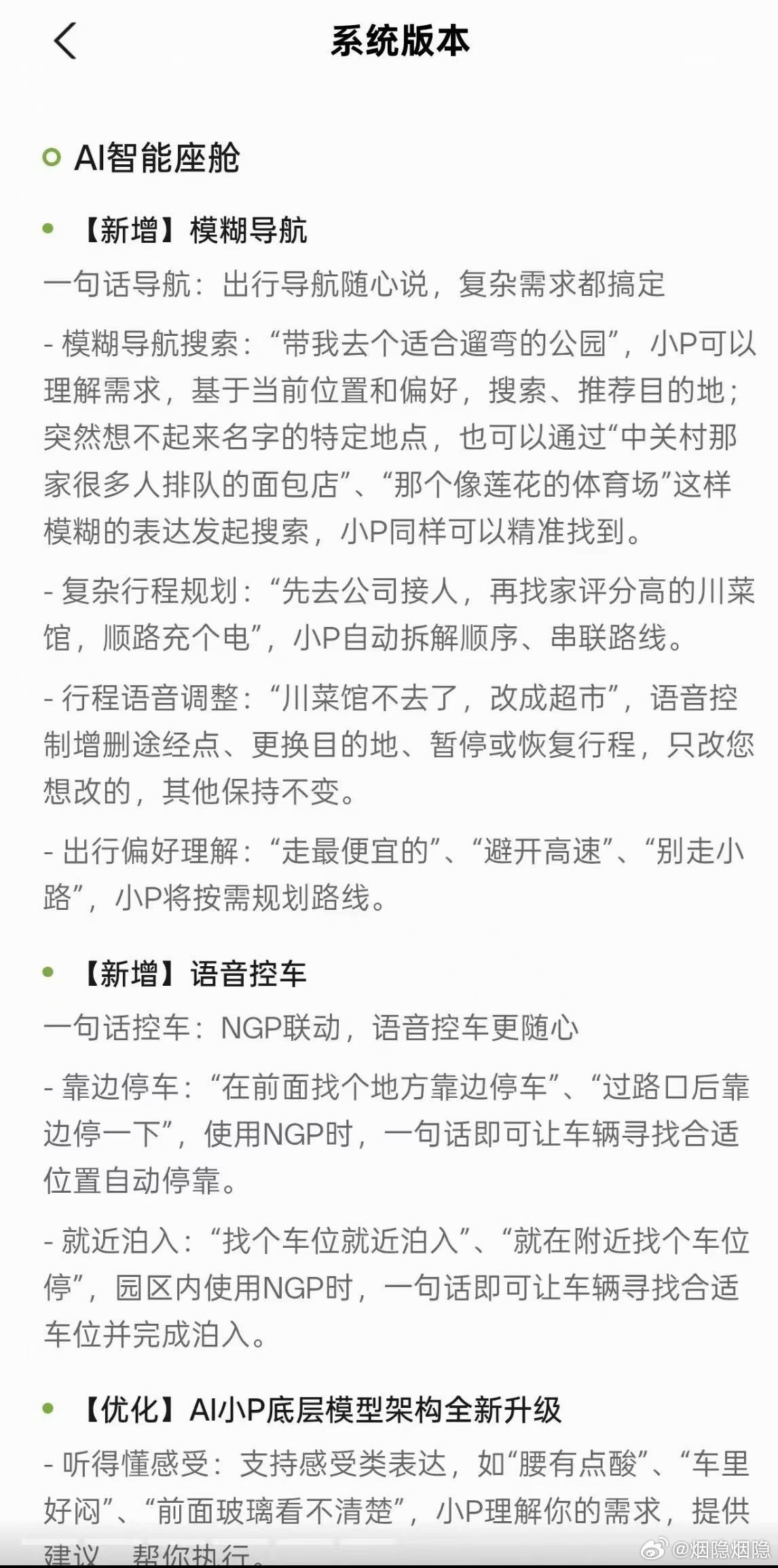
New — voice vehicle control. Linked with NGP: "find a place ahead to pull over" or "pull over after the junction" makes the car look for a suitable spot and stop; inside a park area, "find a space and park nearby" makes it search and park.
Optimised — AI Xiao P's underlying model. It now handles feeling-based expressions — "my back aches", "it's stuffy in here", "I can't see clearly through the windscreen" — understands the need, suggests something and does it. It keeps up with casual phrasing, changes of wording and interruptions, and is written to be more empathetic in conversation.
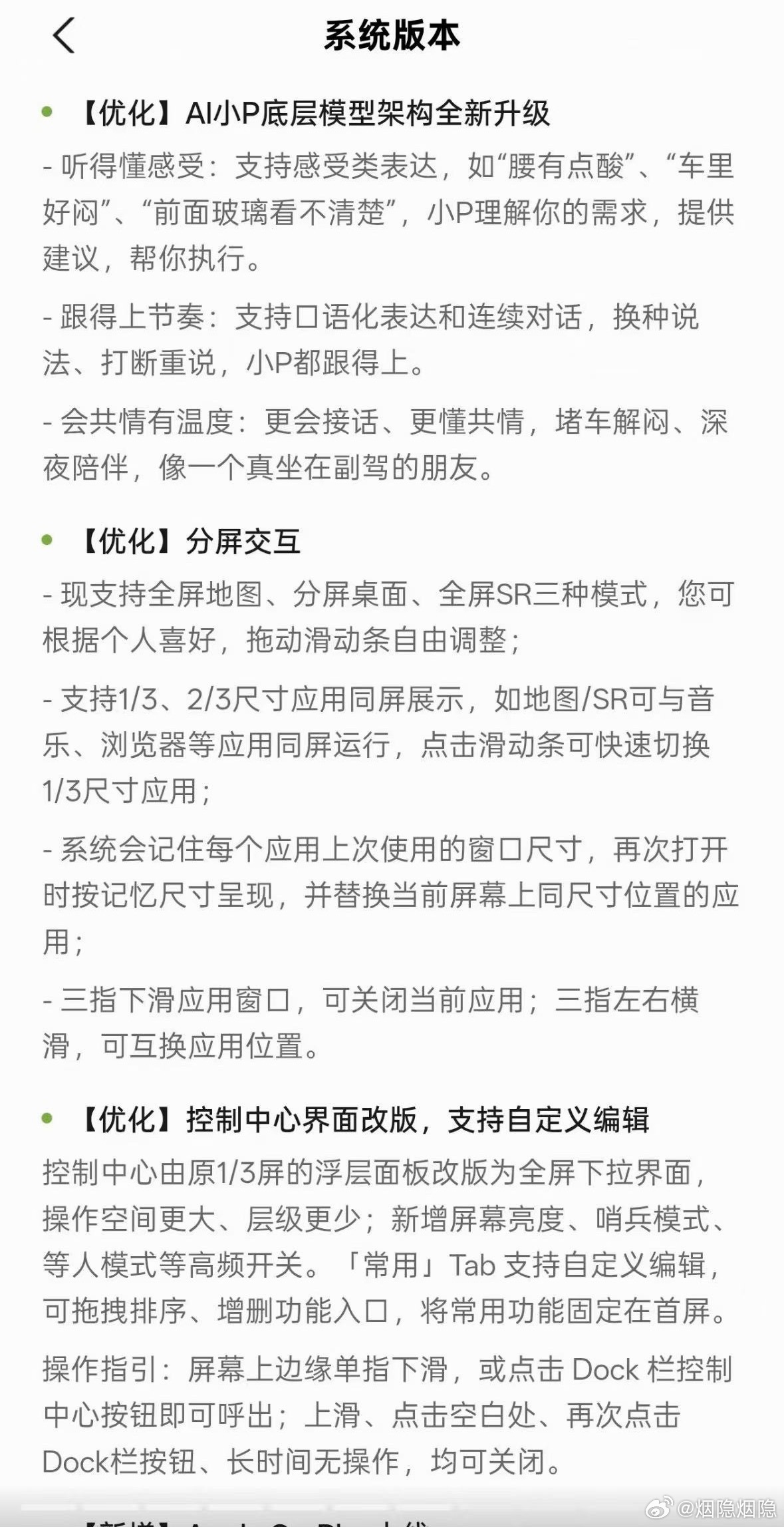
Optimised — split-screen interaction. Three modes now: full-screen map, split desktop and full-screen SR, with a slider to adjust. Applications run side by side at 1/3 and 2/3 sizes, each app remembers its last window size, and three-finger gestures close or swap windows.
Optimised — control centre redesign. The control centre becomes a full-screen pull-down instead of a 1/3-screen floating panel, with new high-frequency toggles including screen brightness, sentry mode and waiting mode; the "Frequently used" tab can be edited, reordered and trimmed.
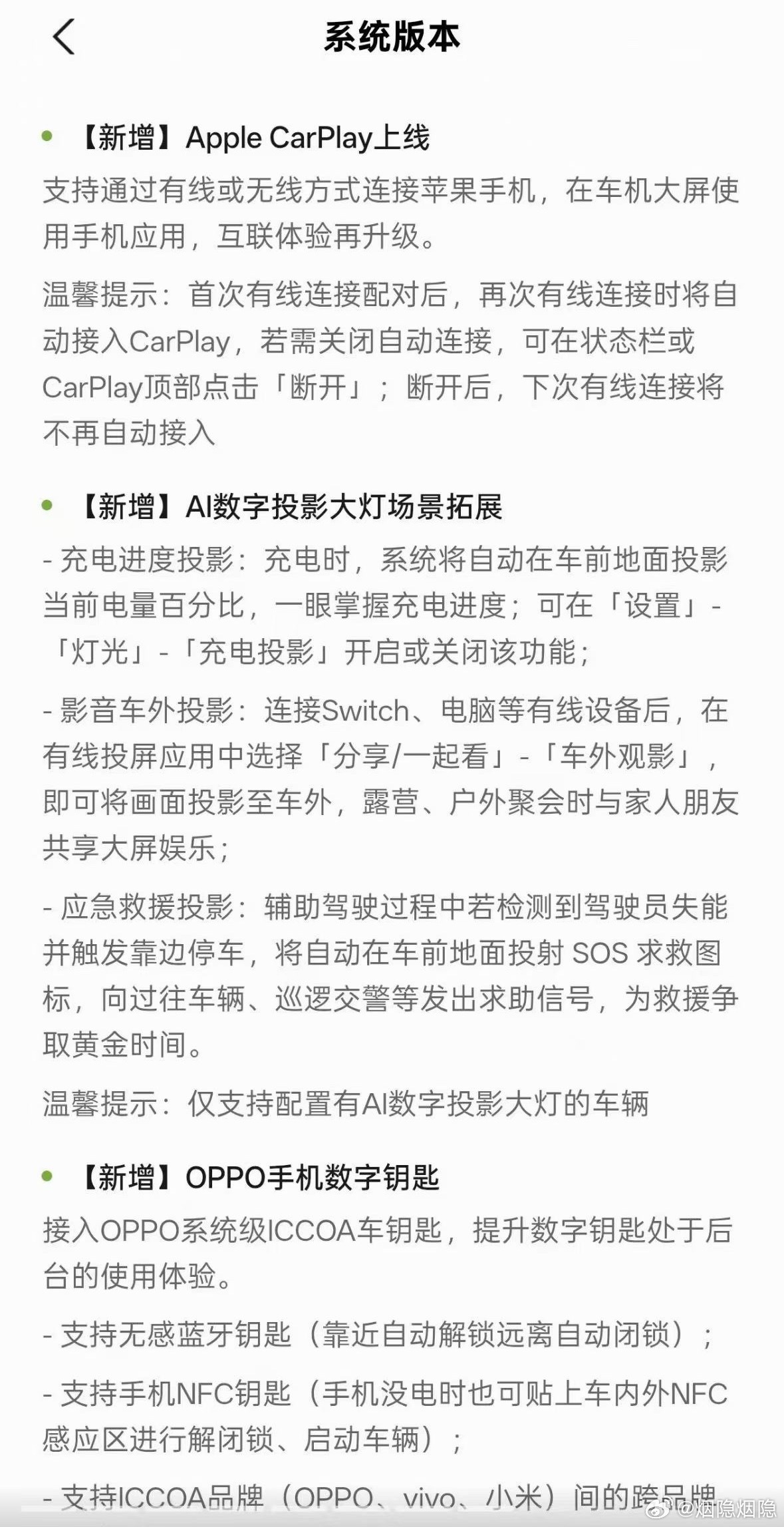
New — Apple CarPlay, over both wired and wireless connections.
New — AI digital projection headlights. Charging progress can be projected on the ground in front of the car; wired devices such as a Switch or laptop can be projected outside the car for camping or outdoor gatherings; and if driver incapacity is detected and a pull-over stop is triggered while driving on assisted pilot, the car projects an SOS icon on the ground to signal passing vehicles and patrol officers.
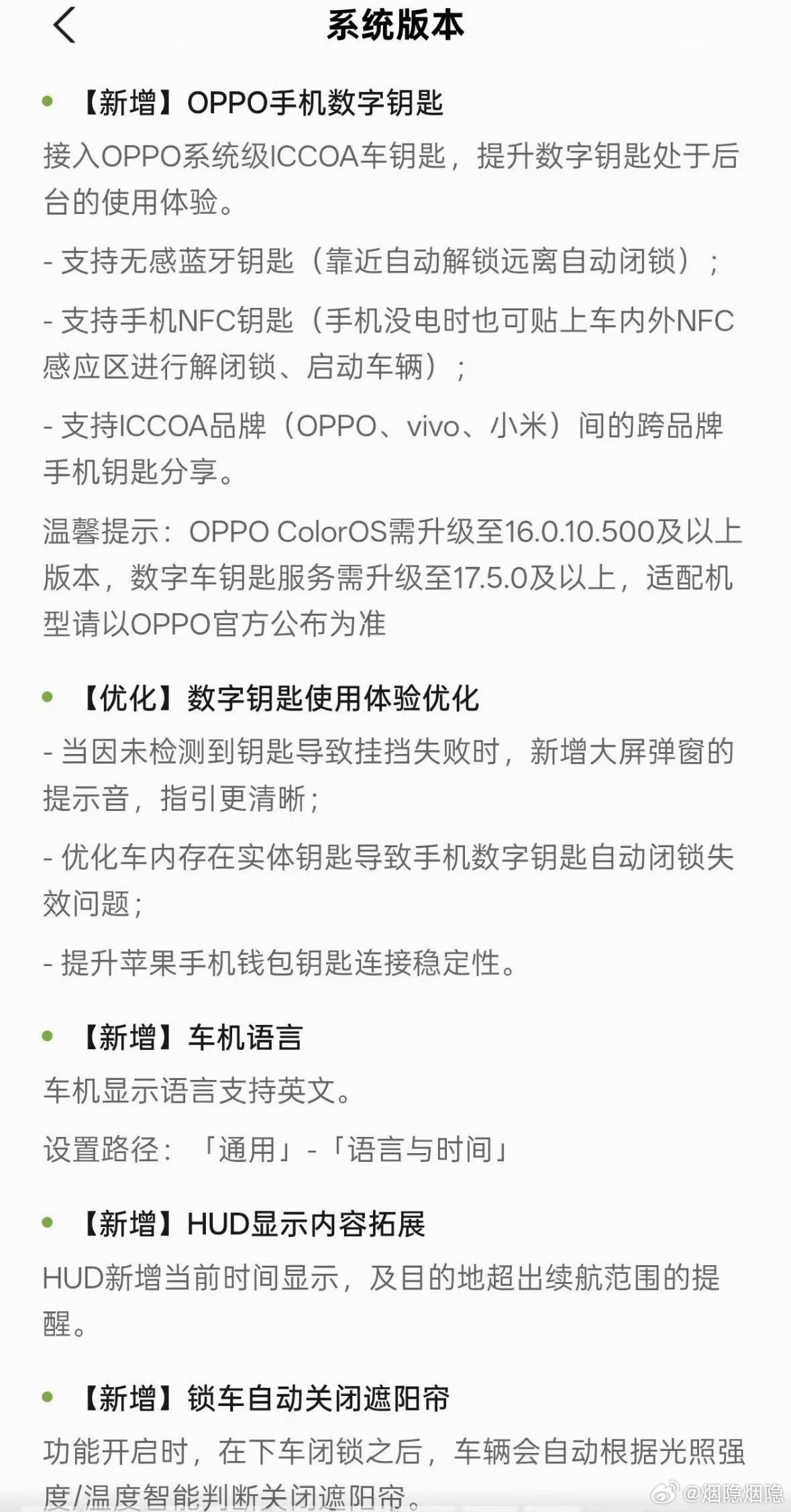
New — OPPO phone digital key. Support for OPPO's system-level ICCOA car key, with a passive Bluetooth key (unlock on approach, lock on leaving), an NFC key that works even with a flat phone battery, and cross-brand key sharing between ICCOA brands (OPPO, vivo, Xiaomi). OPPO's ColorOS needs to be on 16.0.10.500 or later, and the digital key service on 17.5.0 or later.
Optimised — digital key experience. A new chime and pop-up when a gear change fails because no key was detected, a fix for phone keys failing to auto-lock when a physical key is inside the car, and a more stable Apple Wallet key connection.
New — an English system language for the car's display.
New — HUD additions: the current time, and a reminder when the destination is beyond the remaining range.
New — auto-close the sunshade on locking, judged from light and temperature.
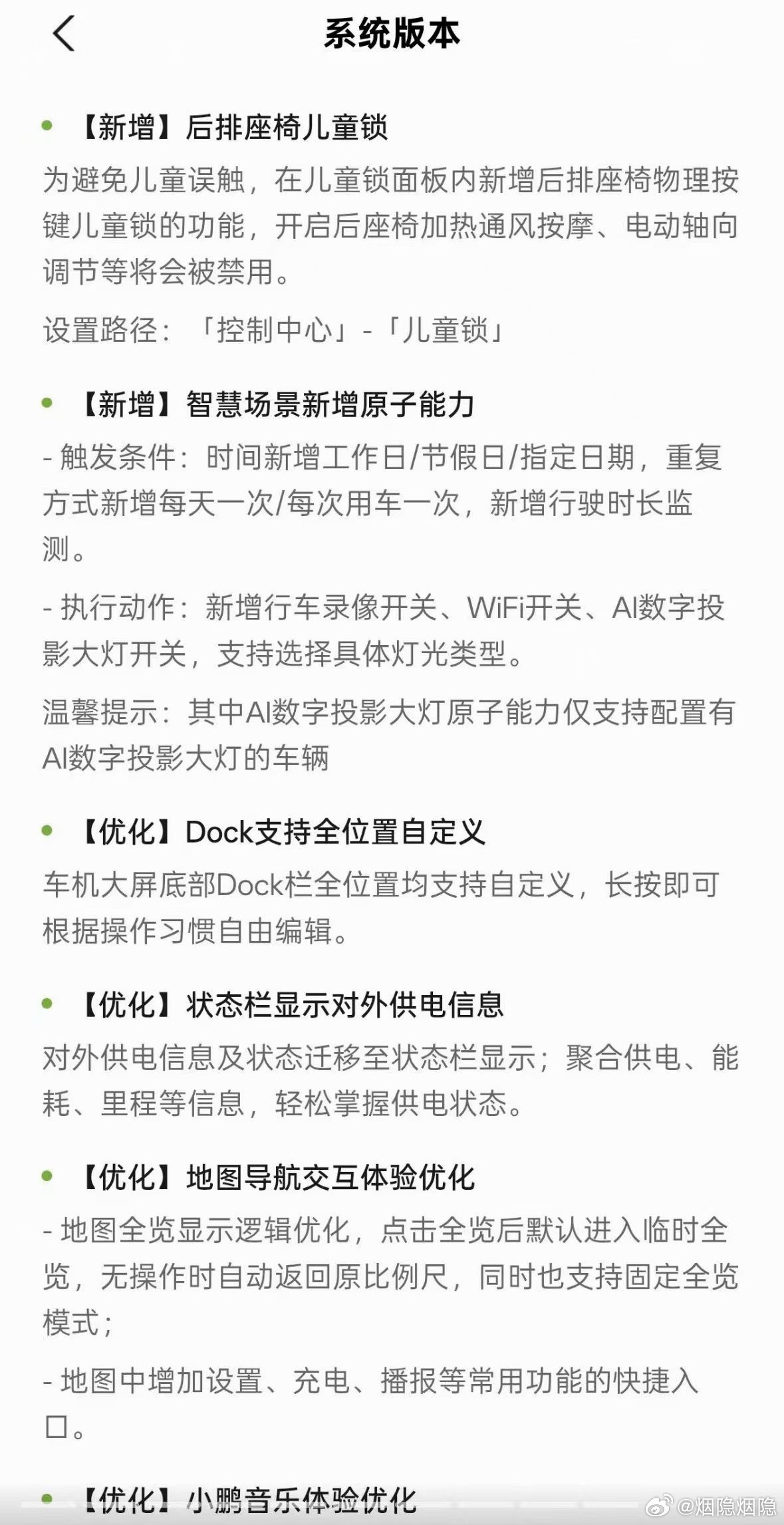
New — rear-seat child lock. A physical child-lock function for the rear seats inside the child-lock panel; when enabled, seat heating, ventilation, massage and powered adjustment are disabled.
New — smart scenes gain atomic capabilities. New triggers include weekdays/holidays/specific dates, once-a-day or once-per-drive repetition, and driving-duration monitoring; new actions include the dashcam recording switch, the WiFi switch and the AI projection headlight switch with selectable light types.
Optimised — the Dock is fully customisable in every position by long-pressing.
Optimised — external power supply information moves to the status bar, aggregating supply, consumption and range.
Optimised — map and navigation interactions, with a temporary full-view mode that returns to the previous scale and shortcuts for settings, charging and voice announcements.
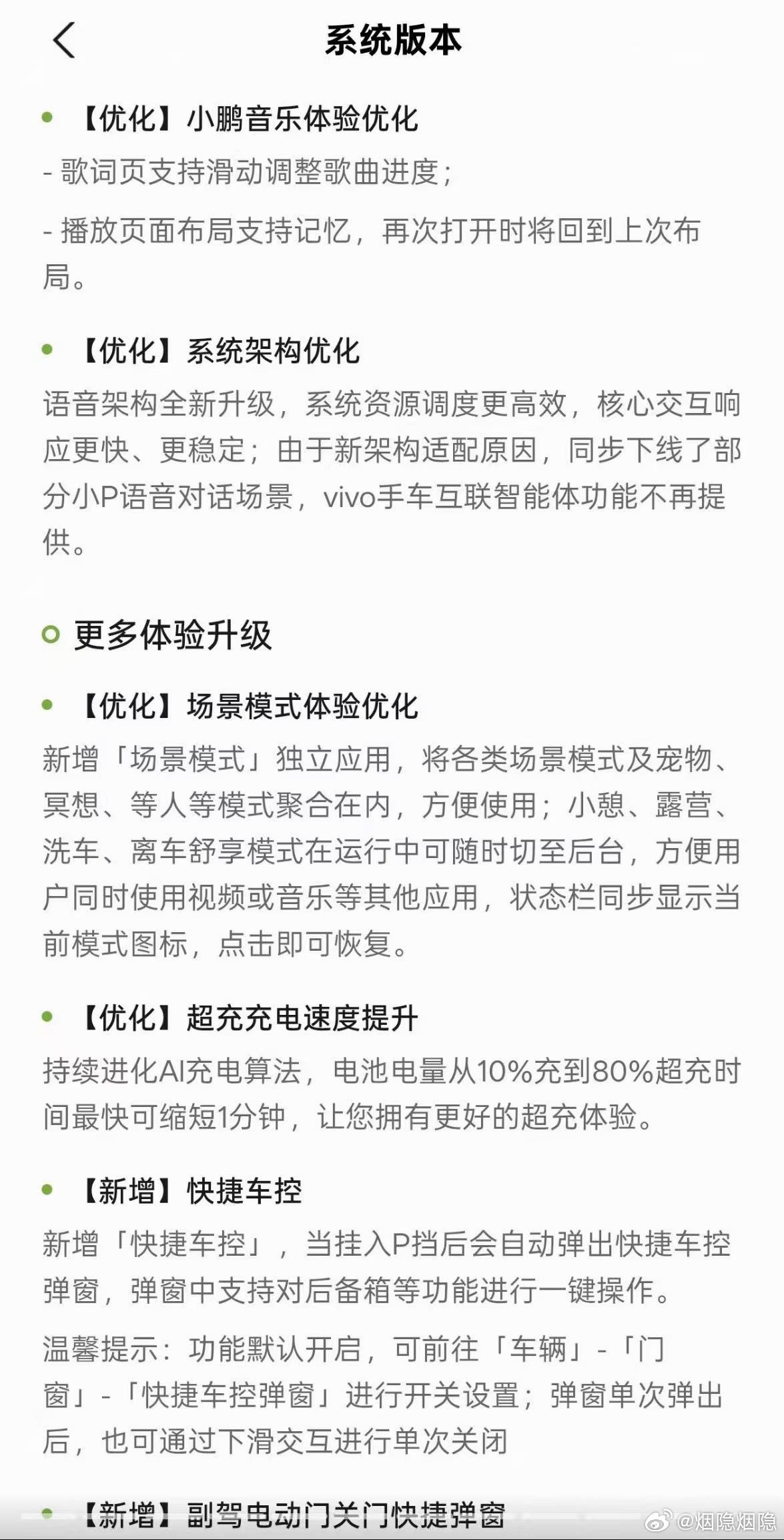
Optimised — XPeng Music: lyrics pages support swipe-to-seek, and playback layouts are remembered.
Optimised — system architecture. The voice architecture is rebuilt for more efficient resource scheduling and faster, steadier core interactions. XPeng notes that, because of the new architecture, some Xiao P voice dialogue scenarios are retired and the vivo phone-to-car agent feature is no longer provided.
Optimised — supercharging speed. Continued AI charging-algorithm work cuts the 10–80% supercharge time by up to one minute.
New — quick vehicle controls. A pop-up appears when the car is shifted into P, with one-tap actions such as the boot; it is on by default and can be toggled under Vehicle → Doors and Windows.
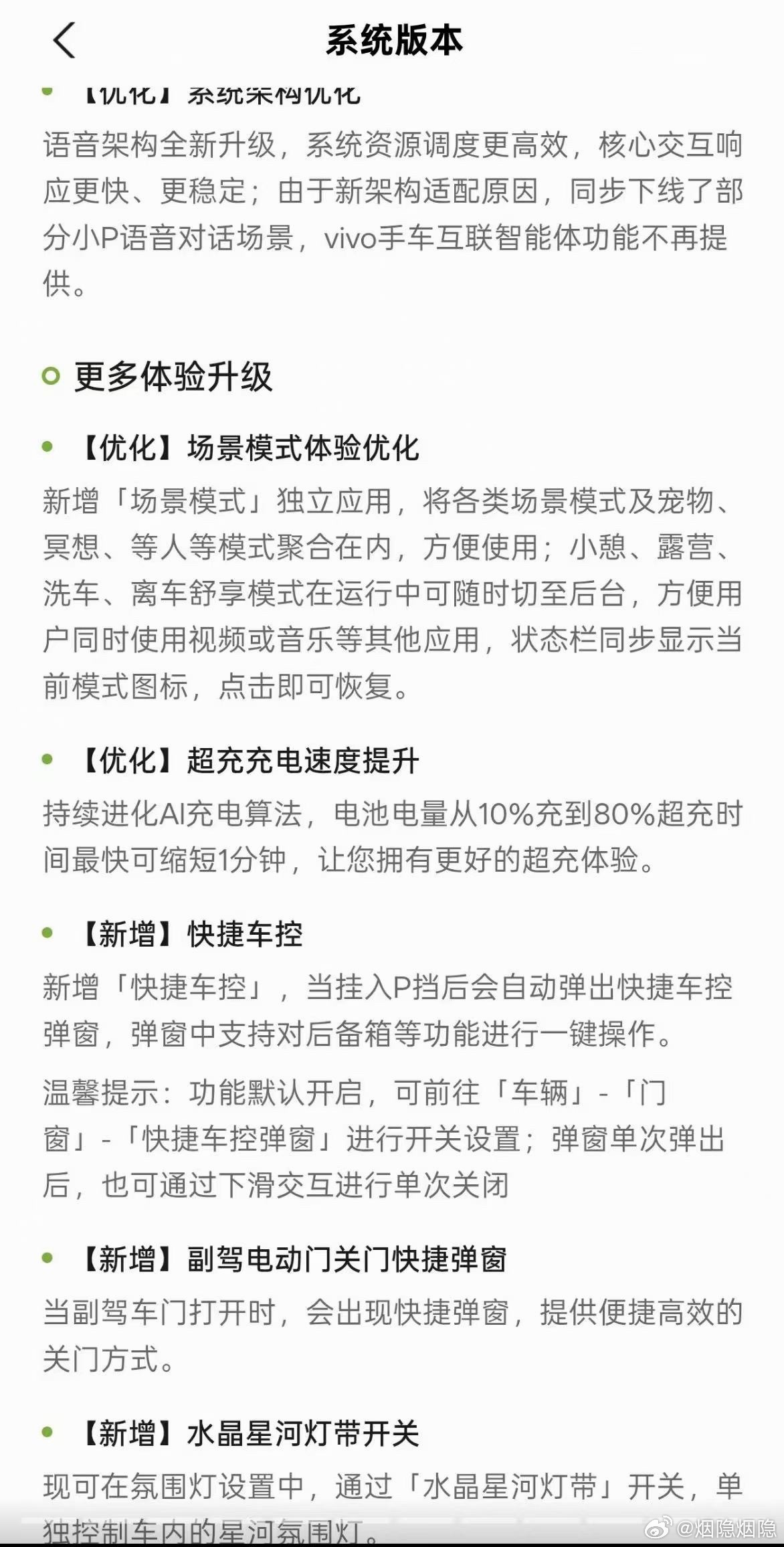
New — scene modes become a standalone app, gathering pet, meditation, waiting and other modes in one place; nap, camping, car-wash and leave-car comfort modes can be pushed to the background so other apps can be used, with the mode icon shown in the status bar.
New — a close pop-up for the passenger's powered door, plus a switch to control the cabin's "crystal galaxy" ambient light strip separately in the ambient lighting settings.
As always with a build that is circulating rather than announced, treat details and timing as provisional — but the poster's point stands: the notes overflow several screens, and not every carmaker publishes that much detail.
Source: 烟隐烟隐, Weibo — translated & adapted for XPENGTech.
Get the next one direct.
New articles, or a daily / weekly digest — the same list EVConduit keeps.